ASCENSION 2 · PROFESSIONAL MEDIA SERVER

Professional media serving
without all the baggage.

Ascension is a cross-platform media server built for live shows, large canvases and distributed playback—without assuming that professional capability has to mean proprietary hardware, complicated workflows or an enormous software investment.

Start simply. Add media, place it on the CueBoard and play it to a screen. When the production demands more, the same environment scales into layered playback, Timeline programming, professional video I/O, large-format canvases and synchronized rendering across multiple machines.

WINDOWS + LINUXNATIVE PLAYBACK ENGINEBROWSER OPERATOR UI
Meet ARC: automatic failover + external equipment control
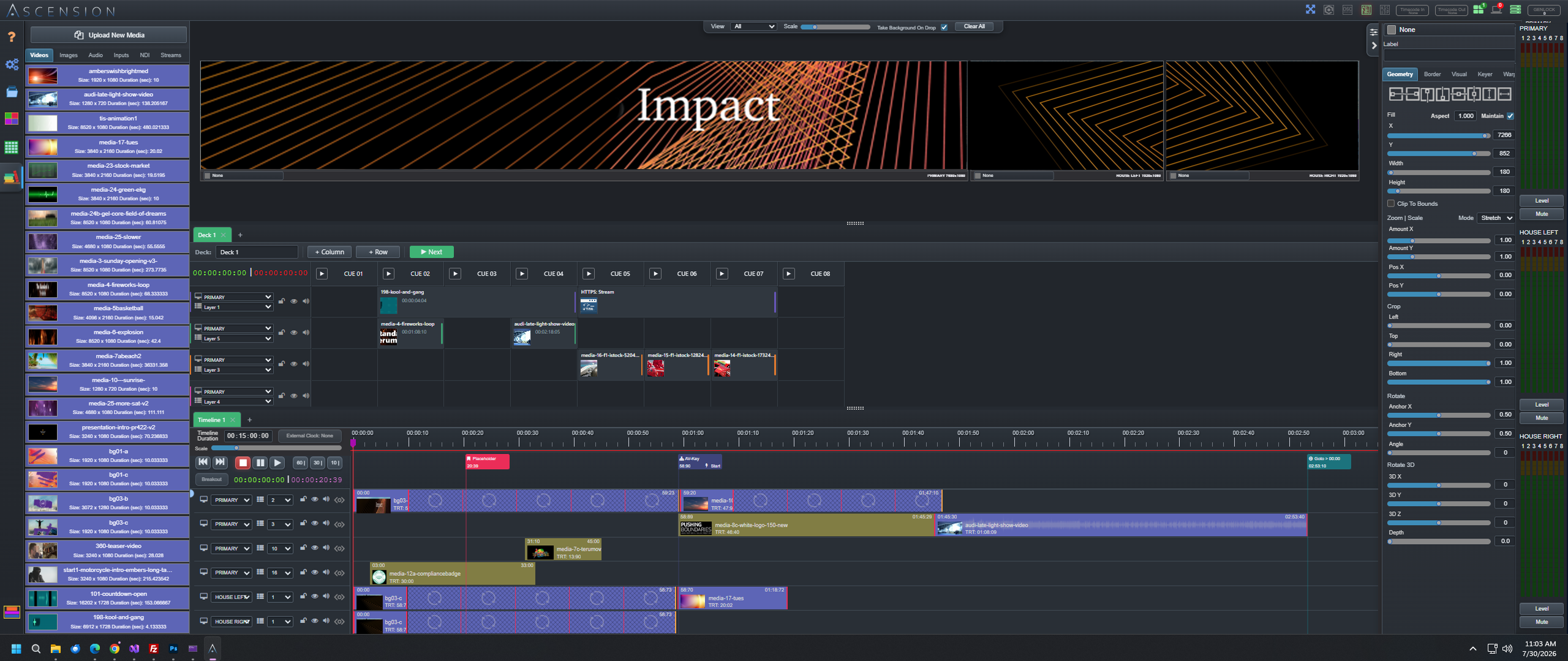
LIVE PRODUCTION WORKSPACEASCENSION 2
Ascension media server workspace with media library, programming tools and live preview
CUEBOARDTIMELINEVISUAL LAYERSKEYINGOUTPUT MAPPINGSDINDIMULTIVIEWDISTRIBUTED PLAYBACKTIMECODEHAP-REXTERNAL CONTROL

BUILD THE SHOW THE WAY THE SHOW ACTUALLY WORKS

Professional capability should not make the simple jobs complicated.

Some productions run to time. Others run when the show caller says “GO.” Ascension treats CueBoard and Timeline as first-class workflows, then lets the same production grow into layers, large canvases, professional I/O and distributed rendering without forcing the operator to start over.

Ascension browser-based operator station controlling a live production
Start at the operator level. Add the deeper system only when the production needs it.

PROGRAM THE SHOW

Cue-directed when the show says GO. Timeline-driven when timing matters.

Ascension does not force a live show into a timeline just because the software has one. CueBoard and Timeline share the same media, layers and outputs, so the programming model can follow the production instead of the other way around.

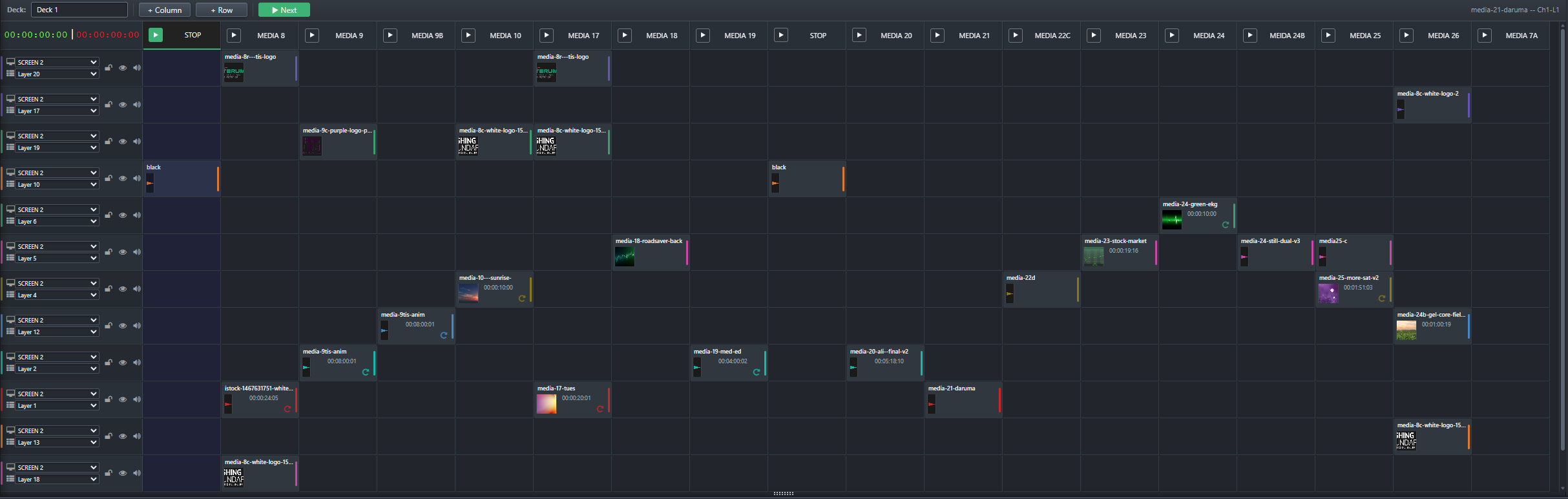
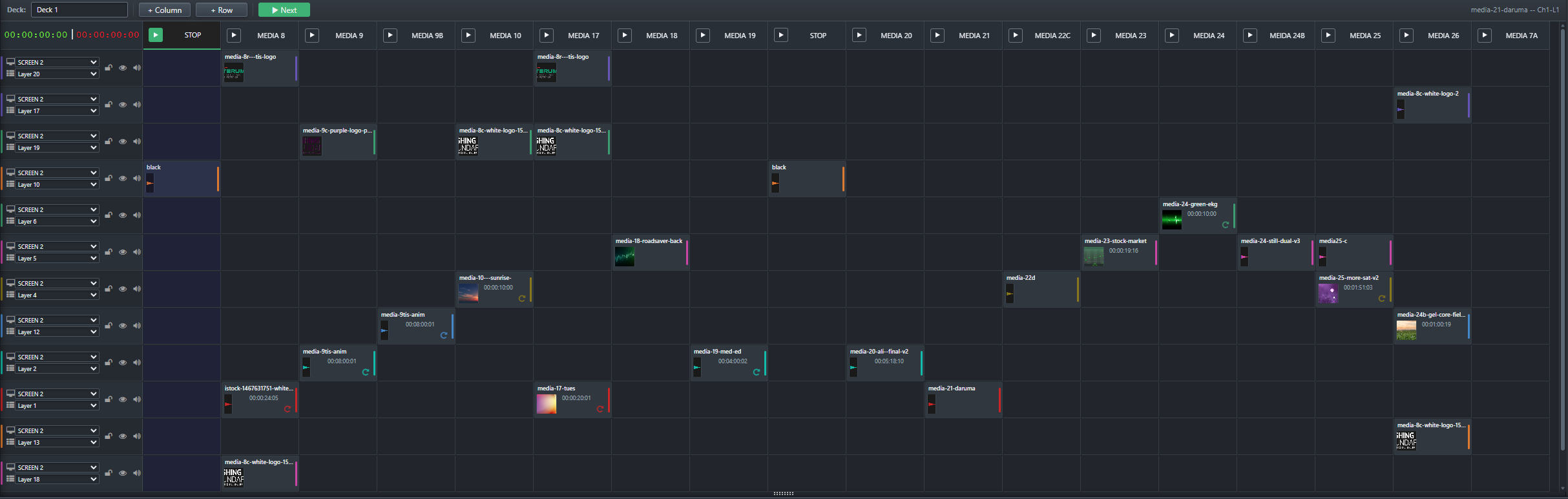
Ascension CueBoard live playback interface
01 · CUEBOARD

Operate the next move.

Build cue decks around the way a live operator thinks: routed rows, clear cue columns, per-asset properties, spans, presets, stingers, external actions and live transport.

DECKSSTINGERSPRESETSSCRUBEXTERNAL CUES
Live Show Control →
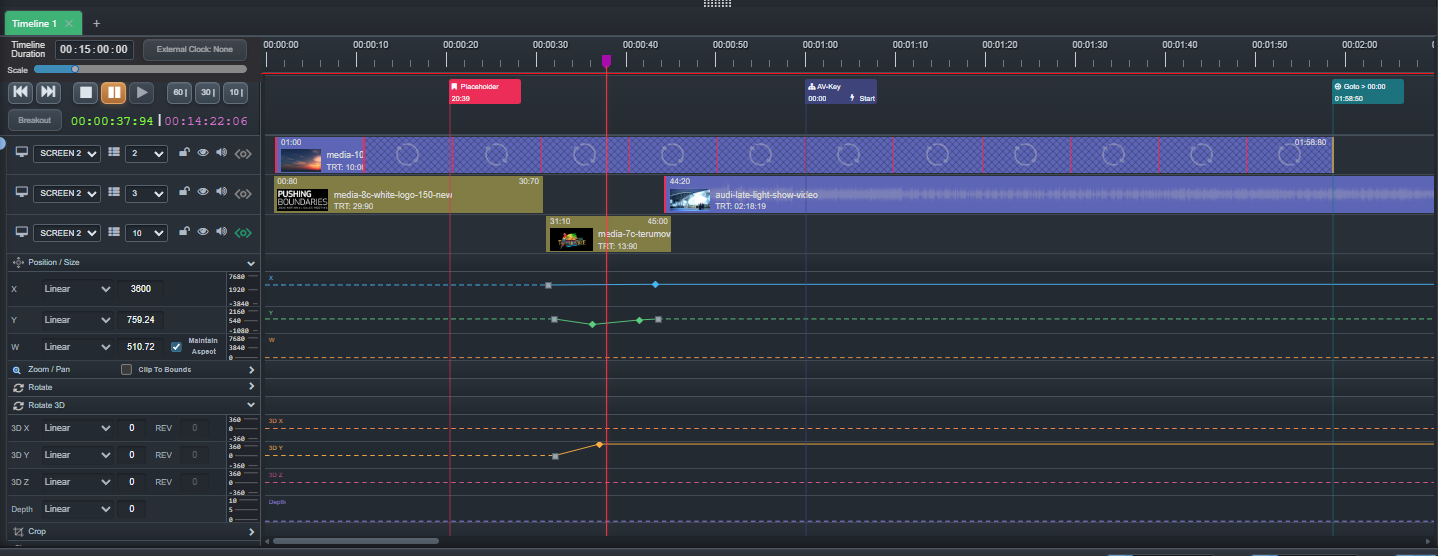
Ascension multi-track Timeline
02 · TIMELINE

Program to the frame.

Sequence media and show actions across tracks, animate layer properties with tweens and easing, rehearse from any point, loop sections, pause for live moments and follow timecode when required.

TRACKSTWEENSEASINGCONTROL CUESTIMECODE
Timeline + Animation →

REAL-TIME COMPOSITING

Shape the image after it enters the server.

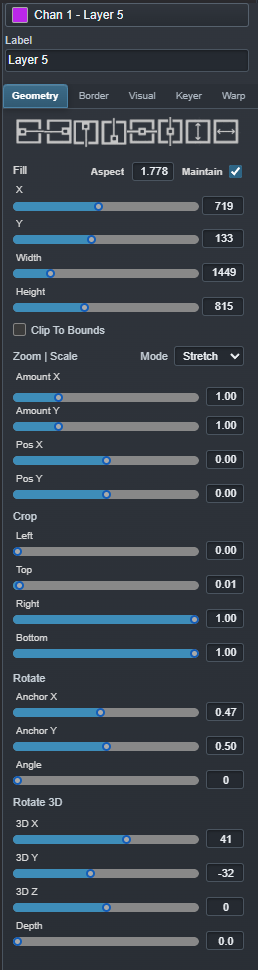
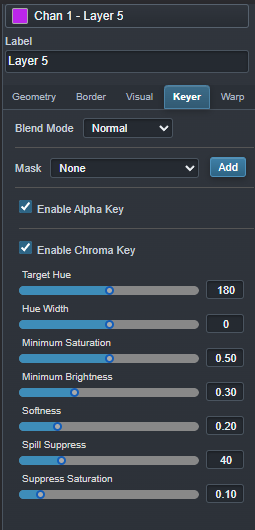
Each visual layer carries reusable geometry and treatment state. Make a PIP, fill a surface, crop a source, key a camera, retain alpha, add a border or shadow, save the look and animate the same properties later.

GeometryPosition · Size · Aspect · Zoom · Pan · Crop · Clip
TransparencyOpacity · Masks · Chroma key · True alpha
TreatmentBrightness · Contrast · Saturation · Borders · Shadows
ProjectionWarp · Blanking · Registration · Preview
Explore Visual Layers
Ascension visual layer preview
Geometry controls Keying controls Treatment controls

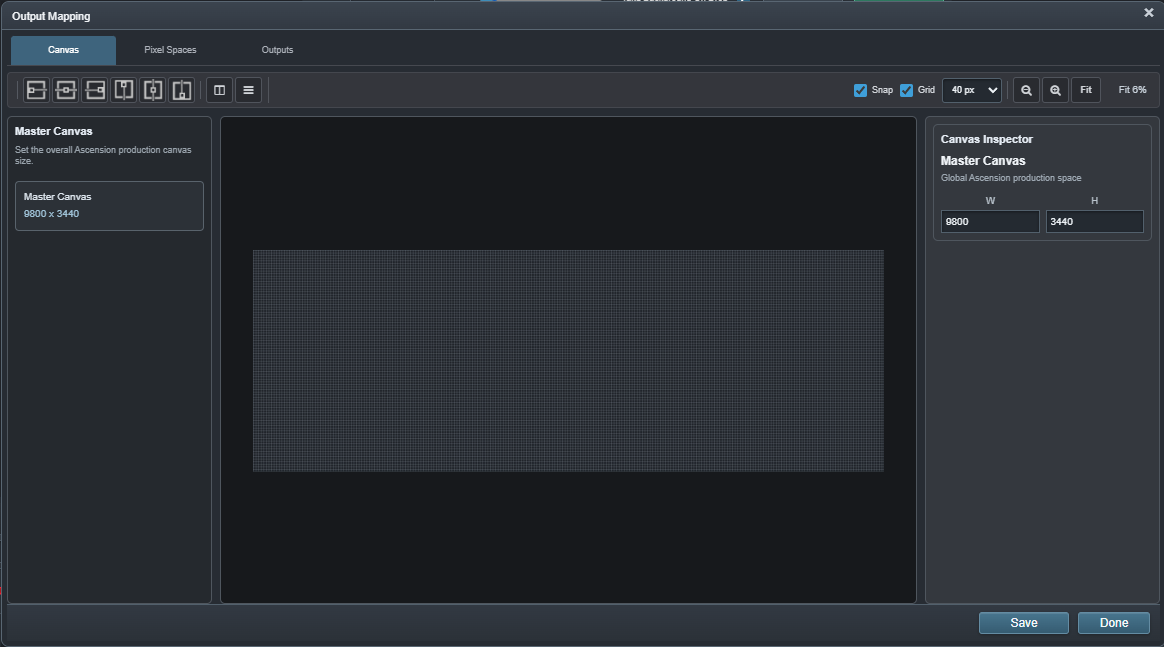
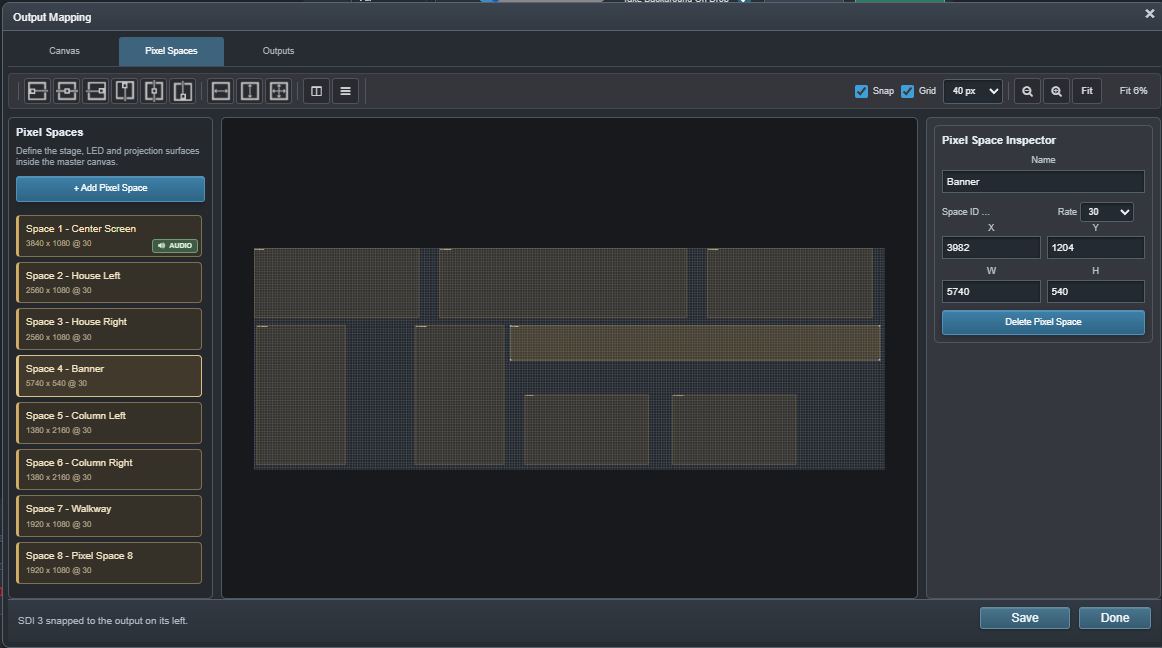
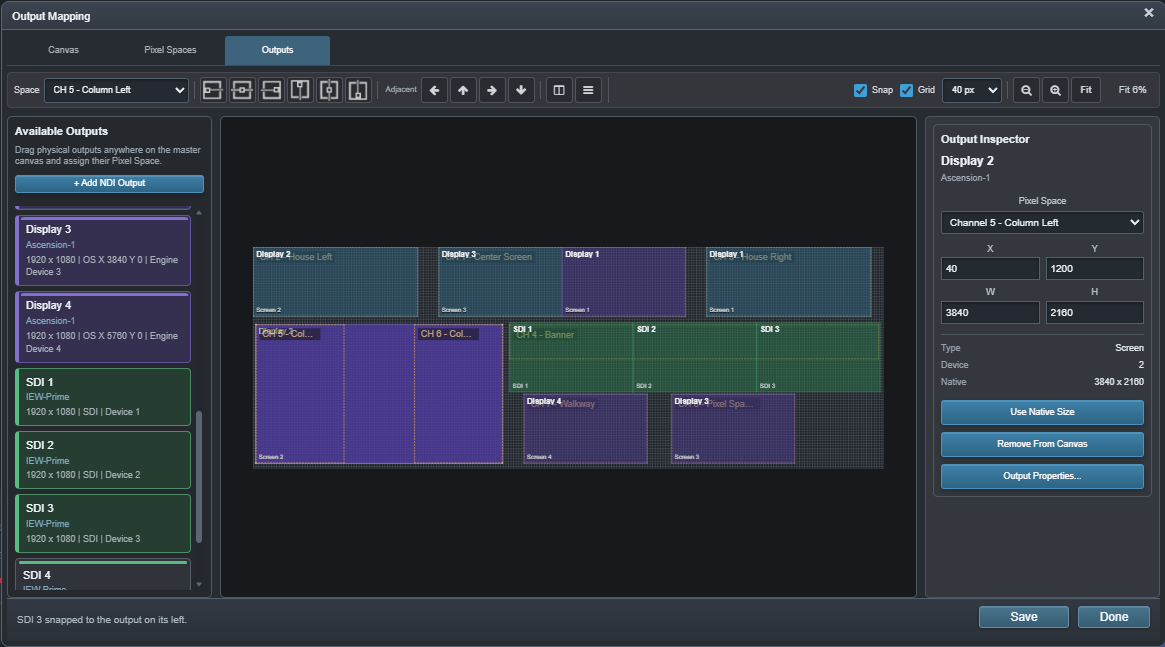
STAGE + OUTPUT MAPPING

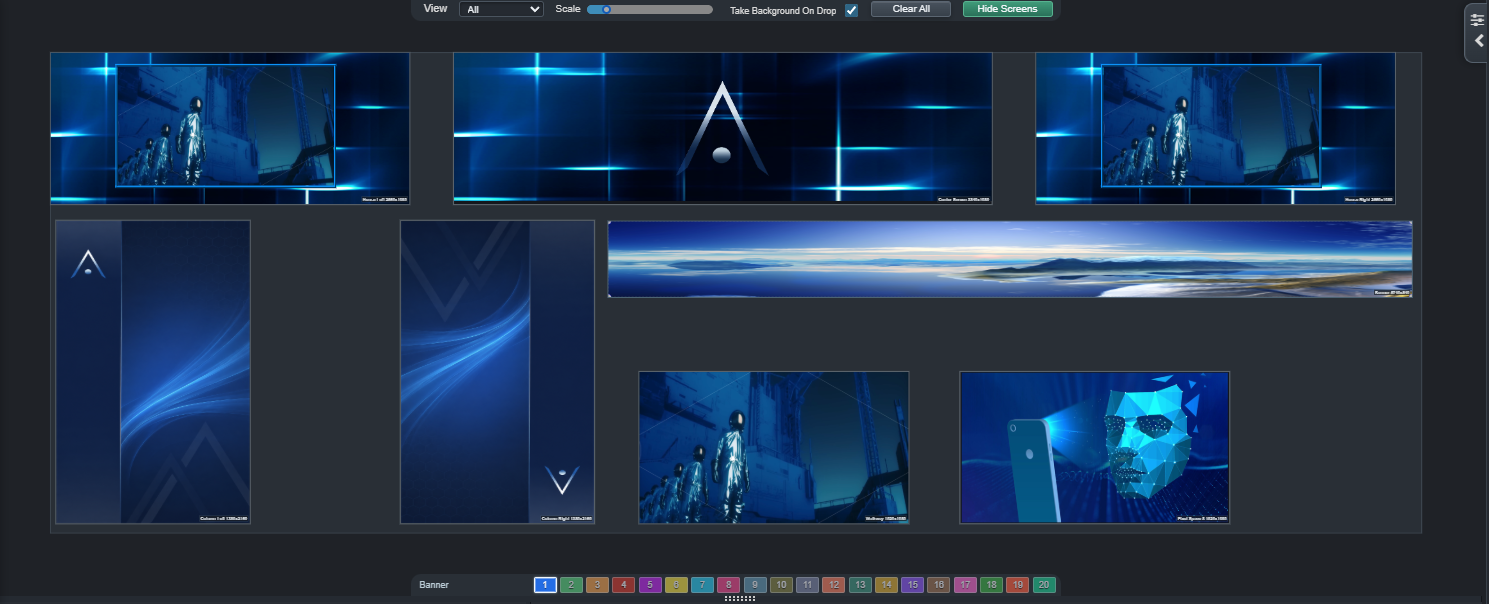
Build the canvas first. Connect the hardware second.

Master Canvas → Pixel Spaces → Outputs. Define the logical production surface first, then map the Screen, SDI, NDI and Extended resources that deliver it. Programming stays centered on the show instead of the connector map.

OUTPUT + MONITORING

Real hardware in. Real hardware out. A view for the operator.

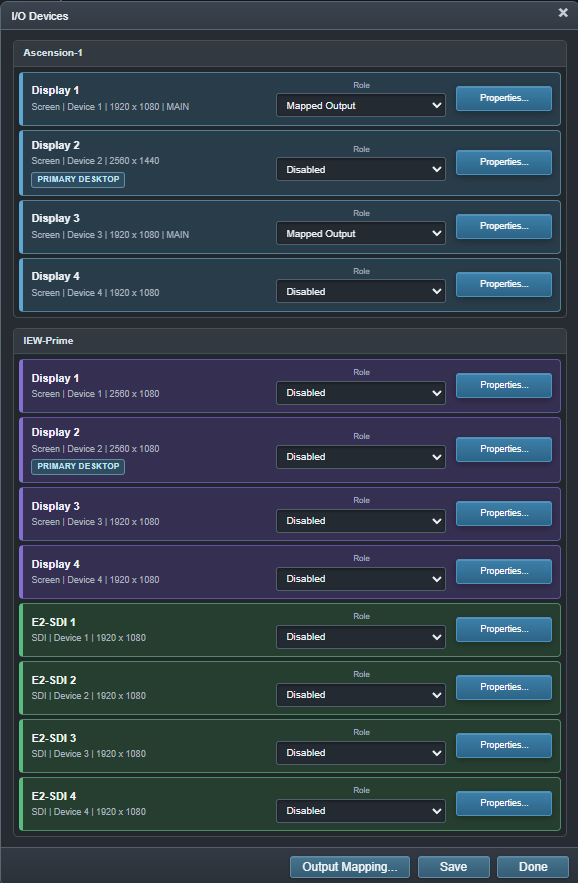
Ascension inventories production I/O, maps it to the stage, and gives the operator purpose-built monitoring and alignment tools instead of treating output as the last checkbox in the chain.

Ascension I/O device inventory
DEVICE INVENTORY

Screen, DeckLink/SDI, NDI and audio resources.

Discover and configure the physical resources available to the local or distributed system.

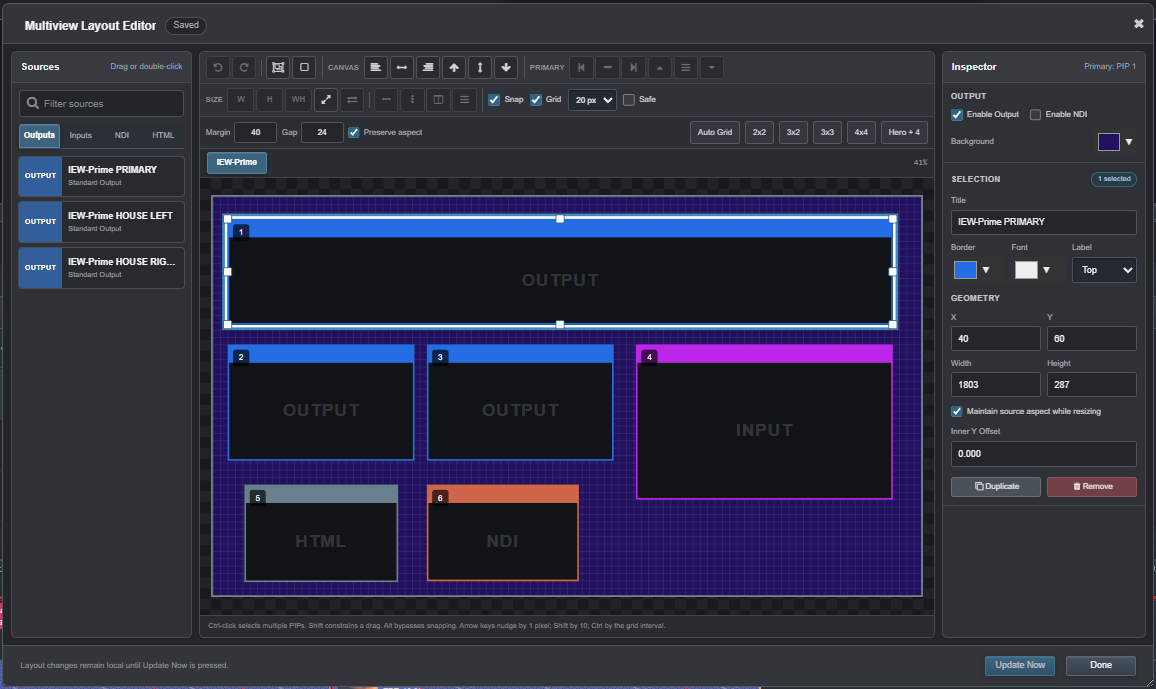
Ascension Multiview Designer
MULTIVIEW DESIGNER

Build the operator monitor you actually need.

Arrange routed sources, labels and status into a custom monitoring output.

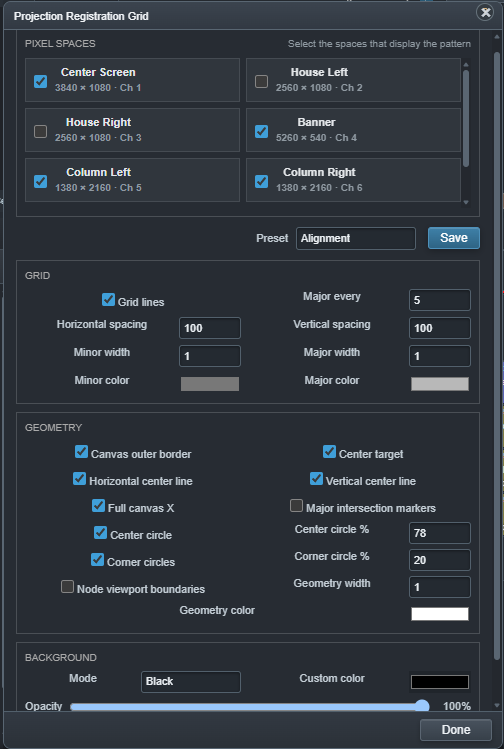
Ascension Registration Grid
REGISTRATION

Align the mapped production surface.

Generate test geometry against the stage for installation, alignment and troubleshooting.

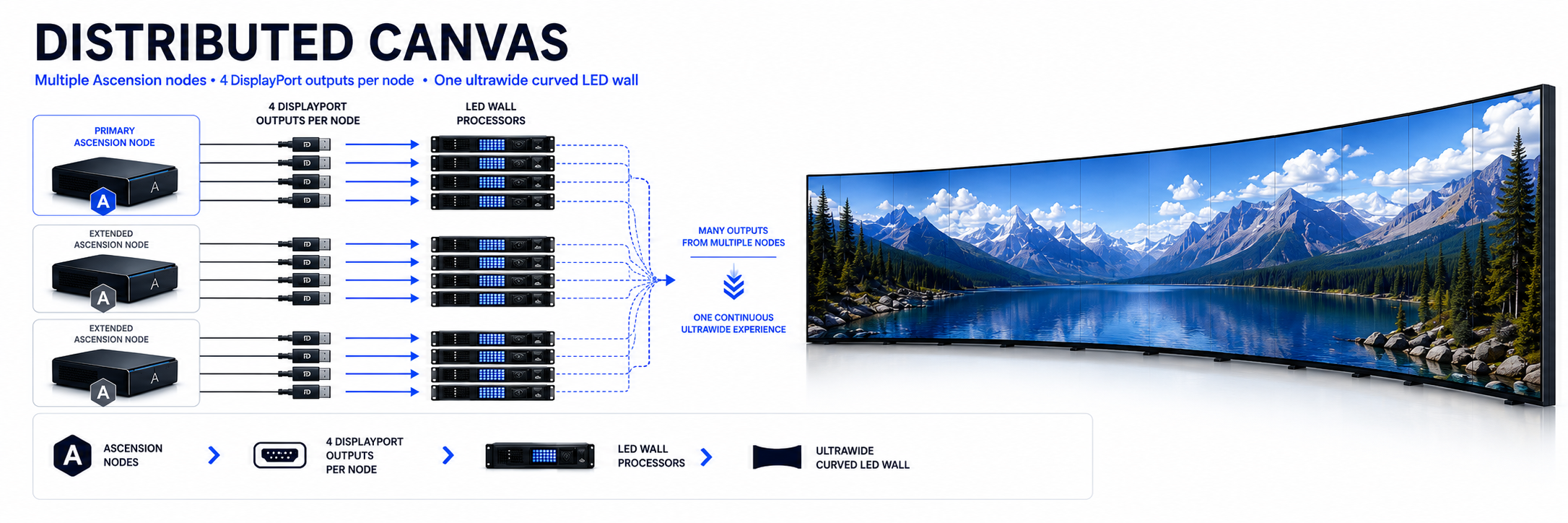
Ascension distributed playback architecture
FULL HAP PLAYBACK MASTERRUNTIME ROI DECODE

DISTRIBUTED MEDIA SERVER

One canvas. Multiple machines. Keep the master intact.

A Primary owns the production while Extended systems add output and playback capacity. The nodes share timing, receive the media required for the Event and render their assigned portions of the same logical canvas. We have successfully run that canvas synchronized across a Windows Primary and Debian Extended node.

For very large HAP-R, HAP Q or HAP Q Alpha rasters, each node can receive the same complete optimized master while runtime ROI limits decoding to the compressed texture blocks needed for its region. Change the mapping—even while media is playing—and the master does not need to be rebuilt into new left, center or right files.

  • One Event and one logical Distributed Canvas
  • Windows and Linux nodes can participate together
  • Mapped remote Screen, SDI and NDI resources
  • Show-aware media transfer to Extended systems
  • Live HAP-R / HAP Q / HAP Q Alpha region-aware decoding
Explore Distributed Playback
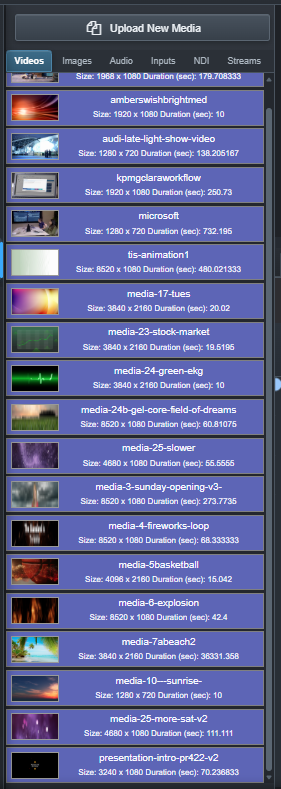
Ascension media libraryAscension media optimizer

MEDIA WORKFLOW

Find it. Prepare it. Put it into the show.

Library scanning, metadata, thumbnails, trim controls and HAP-R / HAP Q optimization feed the same assets into CueBoard, Timeline and distributed playback.

VIDEOSTILLSAUDIOHAP-RHAP QHAP Q ALPHA
Media Workflow →
Ascension system and external control options

SYNC + EXTERNAL CONTROL

Join the rest of the production.

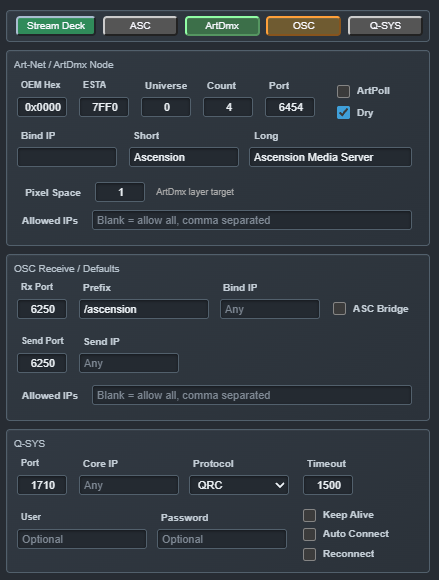
Follow or generate timecode, place Stream Deck control at the operator position, and send or receive show actions through supported production protocols.

LTCART-NET TCOSCARTDMXUDPCOMPANIONSTREAM DECK
Network + Integration →

MEET ASCENSION REDUNDANCY CONTROL · ARC

Main goes down.
Your control position stays up.

Keep the browser workspace and USB Stream Deck on an independent operator workstation. ARC monitors the Main / Backup pair, supervises automatic takeover to a ready Backup and sends configured command strings to downstream equipment. The browser and physical control remain within reach.

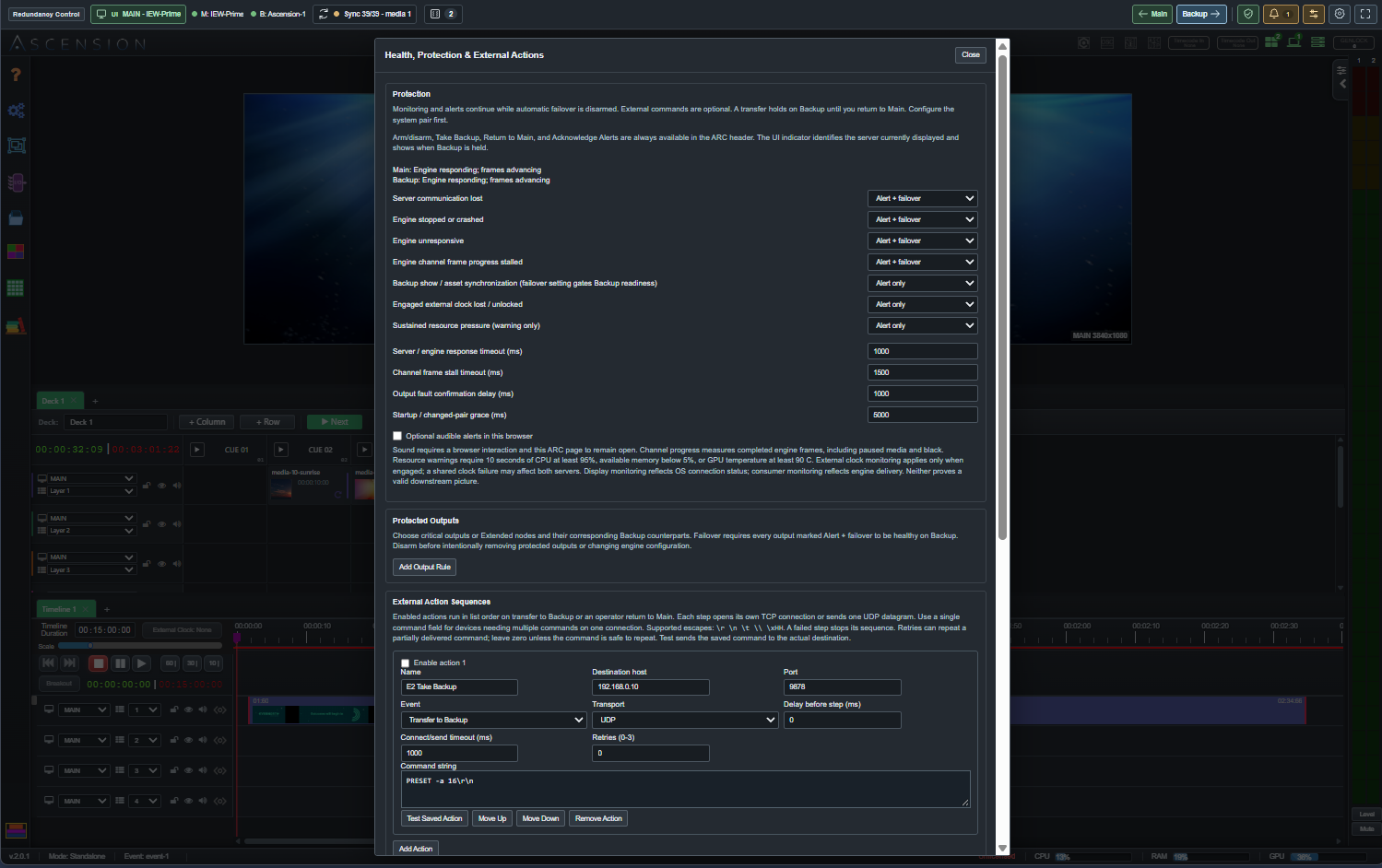
  • Server, engine, frame-progress and protected-output monitoring
  • Automatic failover with Backup readiness checks
  • Ordered TCP / UDP command sequences for downstream equipment
  • Browser and Stream Deck control at the independent workstation
  • Show synchronization and a deliberate return to Main

For resilient operation, run ARC, the browser and Stream Deck on a third computer independent of both playback servers.

ARC protection settings over the Ascension workspace, with fault policies, protected outputs and external action sequences
Configure fault policies, protect critical outputs and send external command strings on takeover.

ASCENSION TUTORIALS

See the workflow, not just the feature list.

Watch the latest Ascension tutorials here, or open the Learn page for the growing library of guided walkthroughs.

Ascension Stage Building Tutorial
GETTING STARTEDVIDEO TUTORIAL

Ascension Stage Building Tutorial

Build the basic structure of a show, connect an output, add media and understand the stage model that everything else builds on.

Watch on YouTube →
Ascension Visual Layers tutorial
VISUAL LAYERSVIDEO TUTORIAL

Visual Layers, Geometry, Keying & Layer Defaults

Work through layer geometry, transparency, keying, visual treatment and the reusable layer-state workflow used throughout Ascension.

Watch on YouTube →
Ascension operating on a live production floor

FROM SETUP TO SHOW TIME

One production environment. Dozens of jobs.

Live events, touring, broadcast, streaming, venues, worship, corporate production, immersive installations and permanent systems all need the same fundamentals: reliable playback, flexible programming, real I/O, clear monitoring and control that stays understandable when the system grows.

LIVE EVENTSBROADCASTVENUESCORPORATEIMMERSIVEINSTALLATIONS
Explore Solutions

DON'T OVERLOOK ASCENSION

Look at what the production actually needs. Then look at the price.

Ascension is entering a mature market with excellent, established media-server platforms. It does not need to pretend otherwise. The question is whether your production actually requires the complexity and cost you may have come to expect. Compare the workflow, the canvas, the outputs, synchronization, media preparation, hardware freedom and the ability to accommodate change. If Ascension can deliver the show you need with less friction and a substantially lower investment, it deserves to be part of the conversation.

Ascension CueBoard interface
Cue-directed show control
Ascension Pixel Spaces output mapping interface
Canvas-first output mapping
Ascension Distributed Canvas architecture
Distributed rendering when you need it

FULL ASCENSION PRO

Professional capability without the traditional media-server price barrier.

Ascension Pro is not a reduced feature edition. Choose the license duration and production-machine seats that fit the deployment, use standard Windows or Linux hardware, and add capacity when the production actually needs it.

Ascension license manager
License the production machines. Operate them from the browser environment.
7 DAYS$99
1 MONTH$199
6 MONTHS$535
1 YEAR$849
PERPETUAL$1,295

ASCENSION 2

Playback is only the beginning.

Program the show, shape the image, map the stage, drive the outputs, monitor the result and connect the rest of the production from one media-server environment.