
Routed tracks
Each track targets the Ascension node, output channel and user layer required by the sequence, including remote Extended-node destinations.
ASCENSION TIMELINE
When the production really is driven by time, Ascension gives that timing a first-class workflow. Build synchronized sequences with routed media, live sources, layer animation, transitions and production-control events, while retaining deliberate places for the operator to pause, loop, break out or hand timing to external timecode.
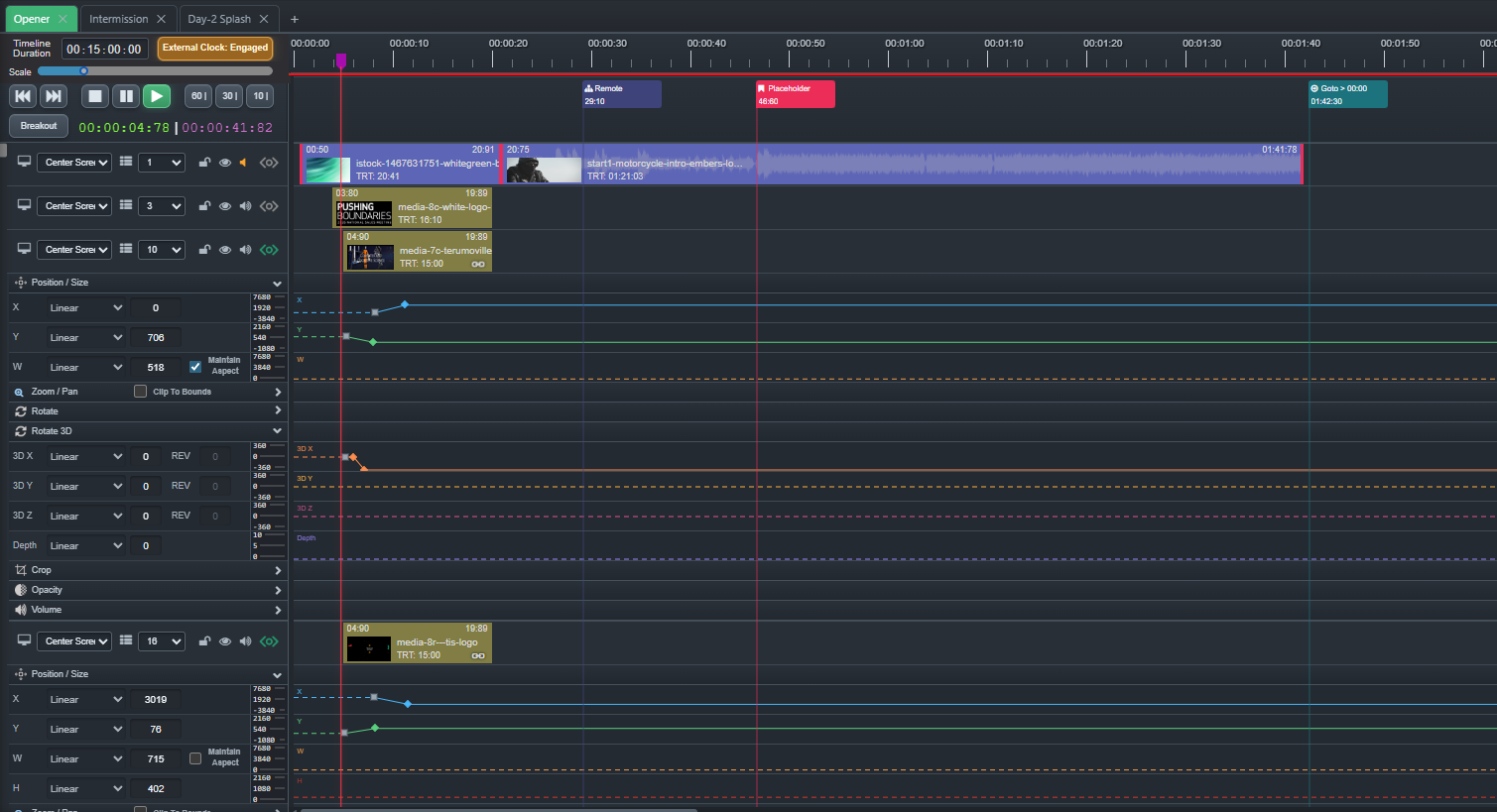
Time-based production
Timeline places media, layer state and show-control events against the same production clock, while still leaving deliberate places where the operator can take control.
Each track targets the Ascension node, output channel and user layer required by the sequence, including remote Extended-node destinations.
Place Placemarks, Holds, Goto instructions, repeating sections, Breakout paths and Remote Commands above the media tracks.
Animate layer geometry, zoom, pan, crop, opacity, volume, rotation and 3D orientation with keyframes and easing.
Move the playhead and have Ascension evaluate the media and layer state that belongs at that point in the sequence.
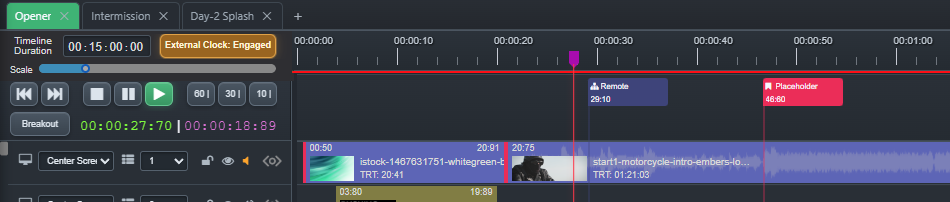
Explicitly engage supported LTC or Art-Net TimeCode when another production system owns the clock.
Keep separate named sequences inside one Event for acts, playback packages, rehearsals or independent show sections.
Control cues
The control lane carries production events against the same clock as the sequence. A Timeline can navigate, hold, loop, break out, animate output layers, chase an external clock and control external systems without turning the operator into the glue between unrelated tools.
Tracks describe destinations
Tracks establish where content belongs: node, output and user layer. Move an asset to another track and its primary destination changes with it. Additional routes can send the same Timeline asset to other outputs when the production requires it.
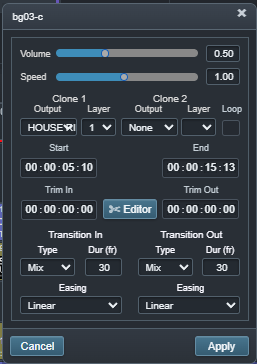
That same Timeline slot can carry per-instance trims, looping, volume, playback rate and Transition In / Transition Out behavior. When motion belongs to a specific asset, lock its Tween programming to that slot so linked keyframes move with it and source replacement stays far less destructive.
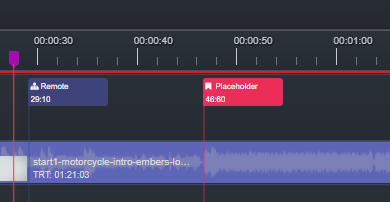
Use Placemarks as navigation points or operator checkpoints. A Hold can stop playback on the mark until the operator resumes, with optional automatic release timing when the pause has a known duration.
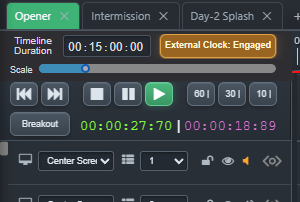
Return playback to an earlier point for walk-in, intermission or other open-ended sections. When the room is ready, trigger Breakout and continue from the programmed exit point without abandoning Timeline playback.
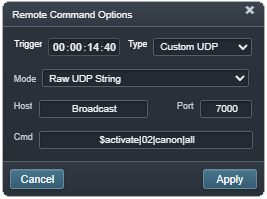
Fire supported Companion, AV-Key, UDP, OSC or Art-Net DMX actions from an exact Timeline position as part of the programmed sequence.
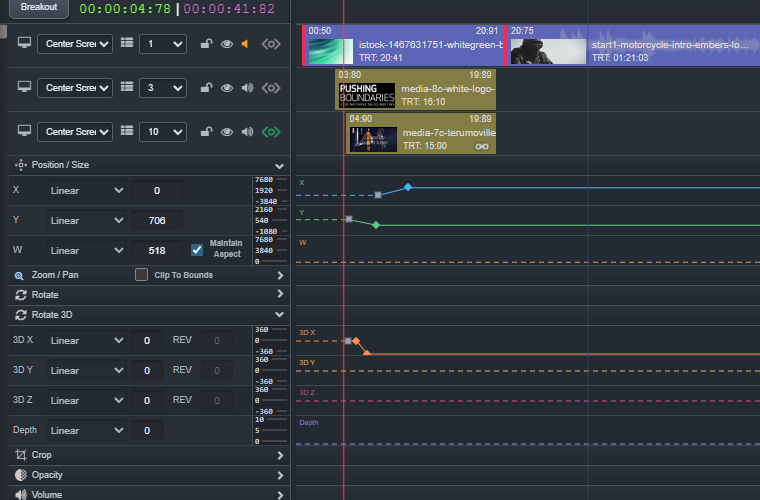
Expand Tween lanes and animate output-layer properties such as position, size, zoom, pan, crop, opacity, volume, rotation and 3D orientation with authored keyframes and easing.
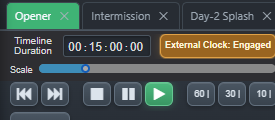
Explicitly engage LTC or Art-Net TimeCode when another production system owns the clock while Control Cues continue to provide show logic against that timebase.
Precise when it needs to be. Live when it needs to be.
Use Timeline for sequences that must land against time. Use Holds, loops and Breakout when the real world needs flexibility. Use CueBoard beside it when the operator should decide when the next moment happens.