Node-based operation
Separate workstations and views could participate in one coordinated audience response workflow.
One accountable engineering path
Custom development is most effective when software, hardware and deployment are designed as one system. That keeps the interface, network, installation and owner workflow aligned from the beginning.
01 / Custom client infrastructure
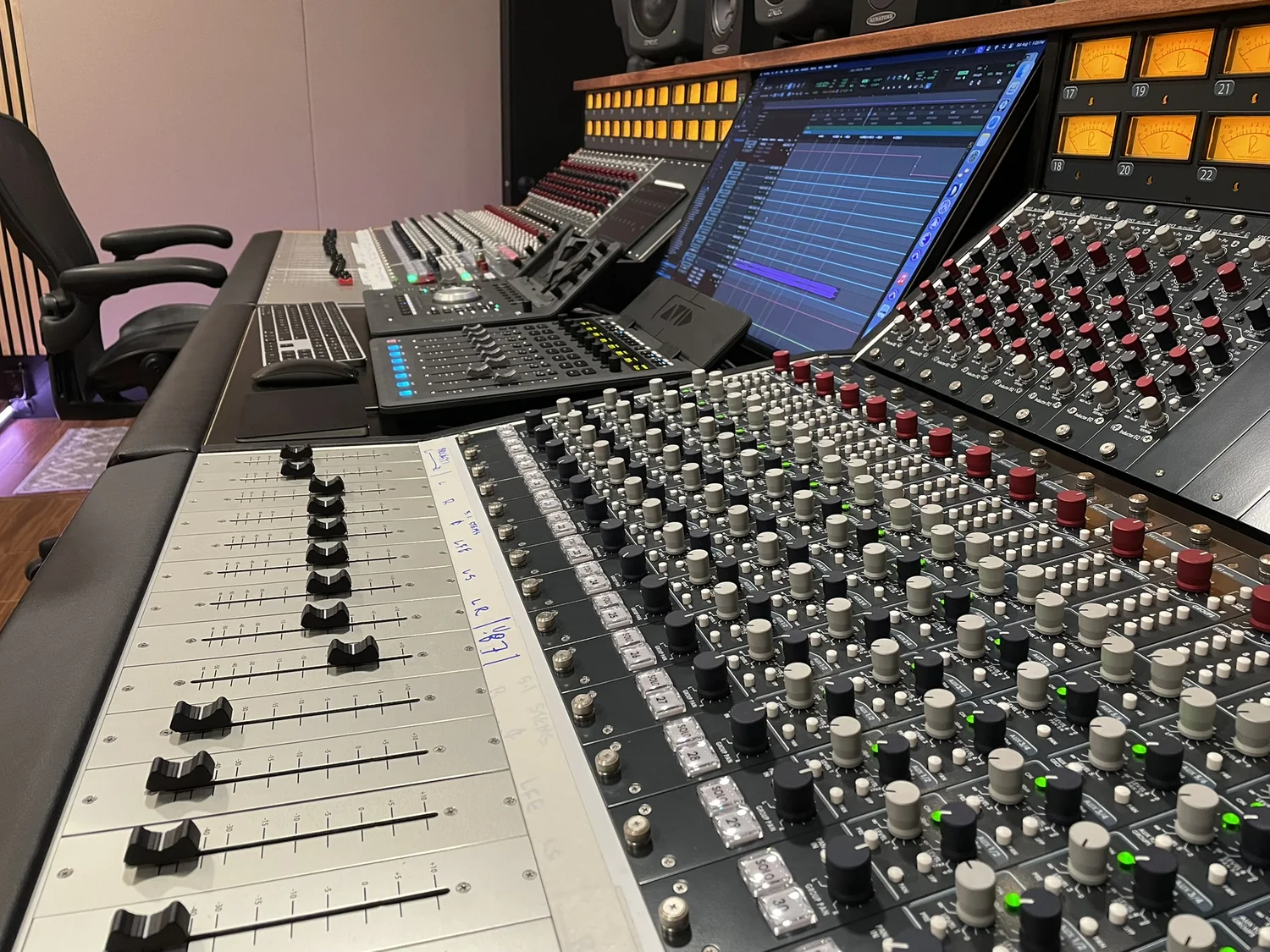
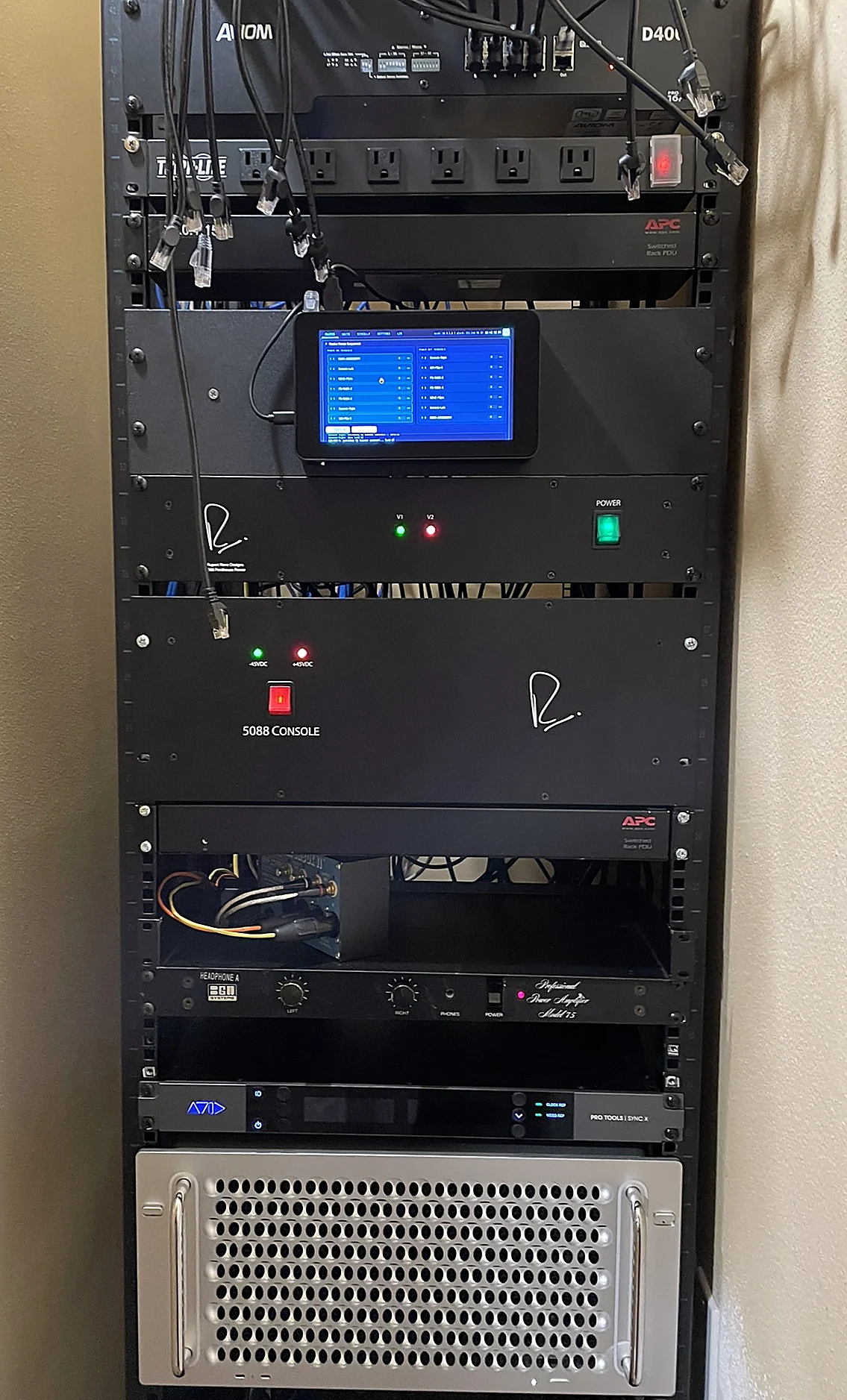
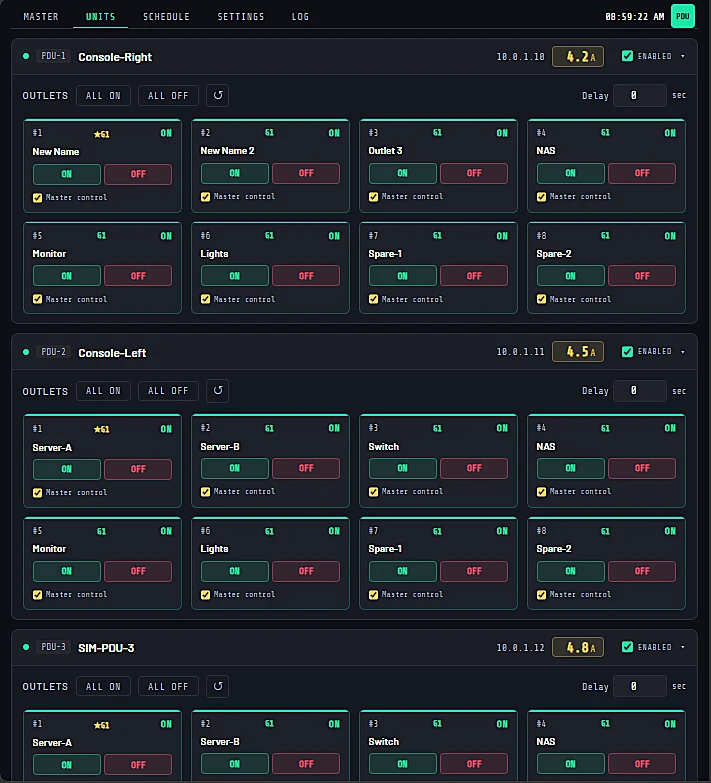
Tomb Slayer StudiosA fully deployed PDU control system designed around the studio's rack environment, facility network and required startup and shutdown sequences.
The assignment
The studio needed dependable control over individual PDU outlets, coordinated power sequencing, scheduled operation and live amperage visibility. The control layer also needed to remain isolated from normal staff access while still being available from any authorized browser on the facility network.
Operator workflow
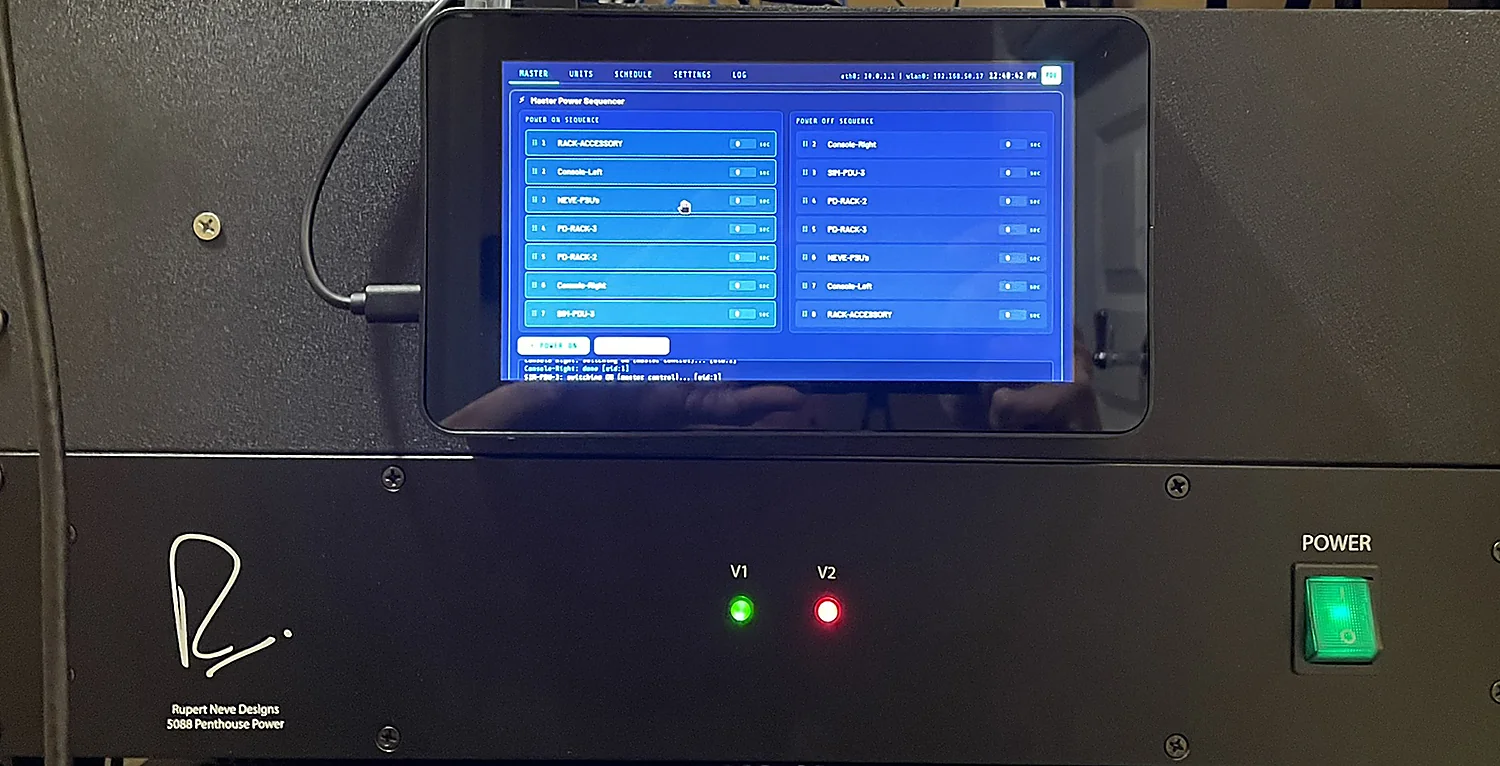
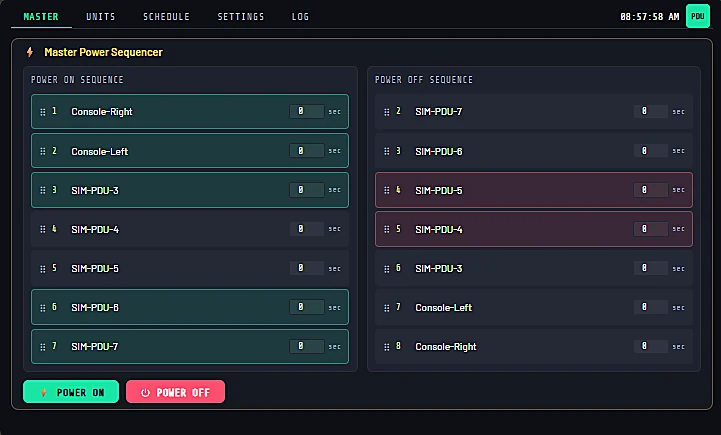
The same browser-based interface supports individual outlet control, configurable delays, master startup and shutdown ordering, weekly schedules, current monitoring, display management and system logs.


Delivered result
The finished system was installed, documented and handed over as a complete operating tool. Staff can work from the dedicated kiosk or use a desktop, tablet or phone on the network without installing an application.
02 / Client-owned software platform
EnhanceEnhance was developed under contract for a specific client as a cross-platform system for creating questions, collecting audience input, visualizing results and supporting presenters across connected nodes.
When the COVID pandemic changed the operating environment, the platform was modified for cloud-based use with WebRTC communication and live text exchange.

Separate workstations and views could participate in one coordinated audience response workflow.
Operators could prepare prompts, manage answer choices and turn live response data into presentation-ready visual results.
Dedicated views kept response status, session timing and audience results available without exposing the full control workspace.
WebRTC and text exchange extended the original venue-oriented architecture to support distributed participation.


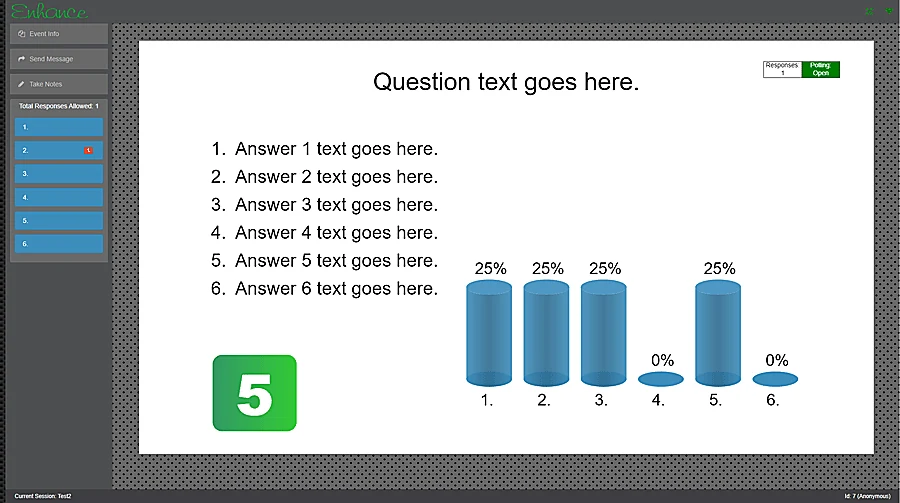
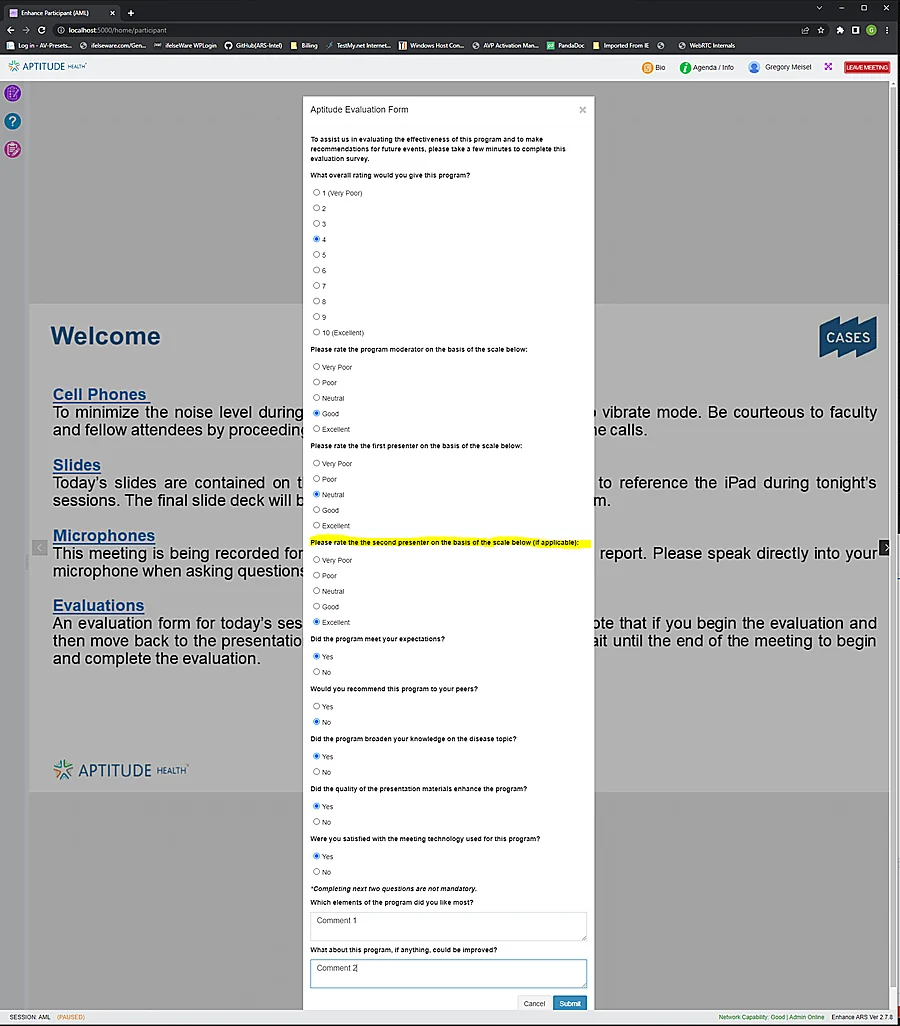
Enhance is client-owned proprietary work. It is presented here only to demonstrate the scope of the cross-platform software, interface and communications engineering completed under contract.
03 / Joint-venture product development
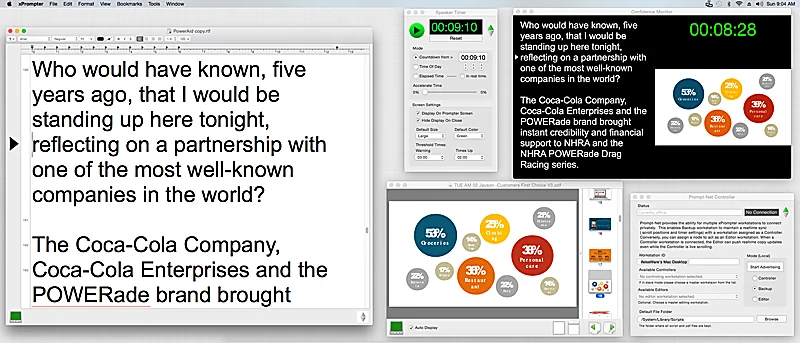
xPrompterInitiated by a client and developed as a joint venture, xPrompter combined a smooth teleprompting script, confidence graphics or notes, and a configurable speaker timer in one coordinated output environment.
The work expanded beyond the application itself to include networked production roles, live script updates, synchronized backup operation and dedicated tactile hardware control.
Integrated speaker support
xPrompter used widescreen display space to present the script alongside confidence graphics and a full speaker timer. Operators could work with bookmarks, hidden notes, script queues and slide-advance cues that coordinated visual material with the presenter.

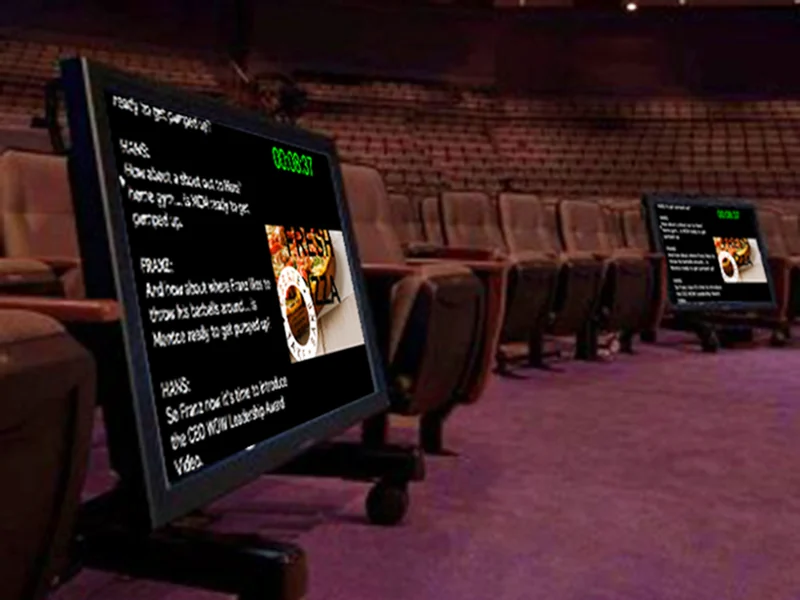
Prompt-Net + control surface
Prompt-Net connected Controller, Editor and Backup workstations. Editors could follow the live scroll and send prepared script changes to the active controller, while synchronized backup operation supported continuity if the primary workstation failed.
The jointly developed MCS5 control surface added a precision scroll wheel, assignable functions, live LCD labels and transport controls so operators could execute commands while maintaining scroll movement.

xPrompter was a joint venture initiated by a client. It is included as an example of collaborative product development spanning application design, production networking and custom hardware integration.
Where custom development fits
A custom engagement can begin with an established concept, an existing workflow that needs automation, or a recurring problem that commercial products do not solve cleanly.
Applications and web interfaces designed around client-specific workflows, users and data.
Purpose-selected computers, touchscreens, sensors and controllers packaged as an operating product.
Networked control, monitoring, sequencing and automation for specialized environments.
Operator tools, presentation systems and media workflows that must perform reliably in live use.
Start with the operational need
Bring the workflow, constraints and desired outcome. IEW Solutions can help define the architecture and determine what it will take to deliver the finished system.