
Screen outputs
Drive conventional displays or define custom canvas dimensions for nonstandard presentation surfaces.
OUTPUTS + MONITORING
Configure production outputs for displays, professional video hardware and network destinations while building multiviews around the information each operator needs.
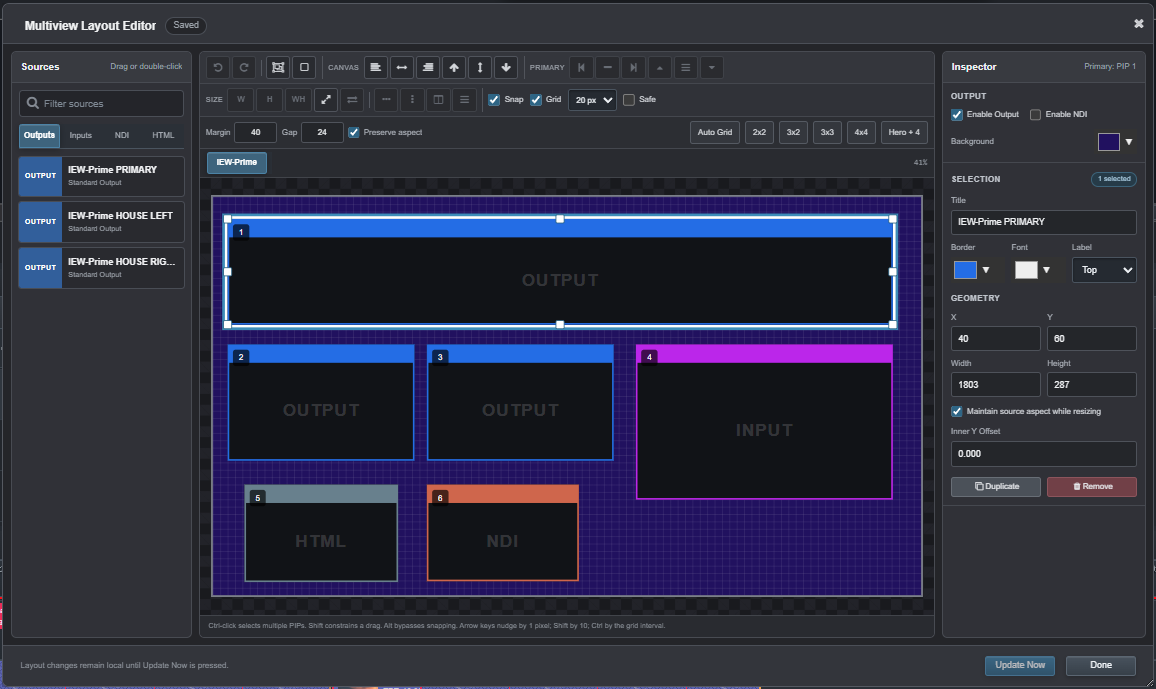
Custom multiviews
Arrange program outputs, source previews, clocks, labels, browser content and system information into purpose-built monitoring displays.
Independent output channels
Assign output devices, resolution, frame rate, audio, color behavior, NDI publishing and display geometry per production channel.
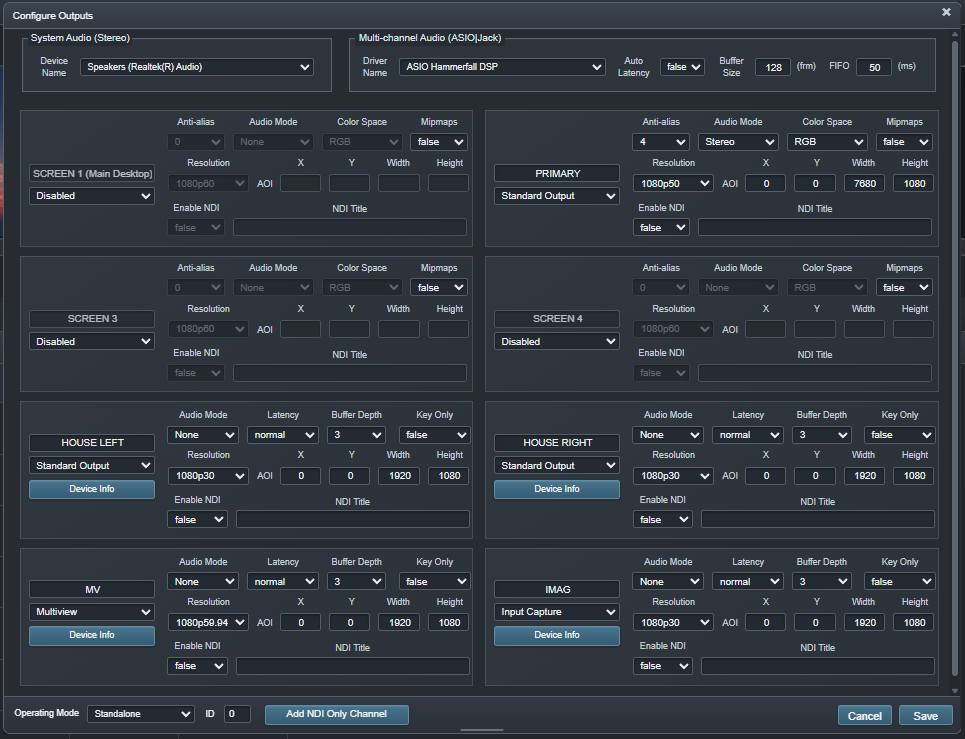
Drive conventional displays or define custom canvas dimensions for nonstandard presentation surfaces.
Integrate supported DeckLink capture and output hardware into broadcast and production workflows.
Bring supported NDI sources into Ascension and publish channels or multiviews across the network.
Carry embedded media audio, control layer levels and route supported system or professional audio devices.
Duplicate outputs or distribute visual content across larger multi-display canvases.
Follow processor, graphics, memory, communications and playback status from the operating interface.
Scale past one workstation