
Global canvas
Define the complete presentation surface in one coordinate system instead of treating every playback computer as a separate show.
DISTRIBUTED CANVAS
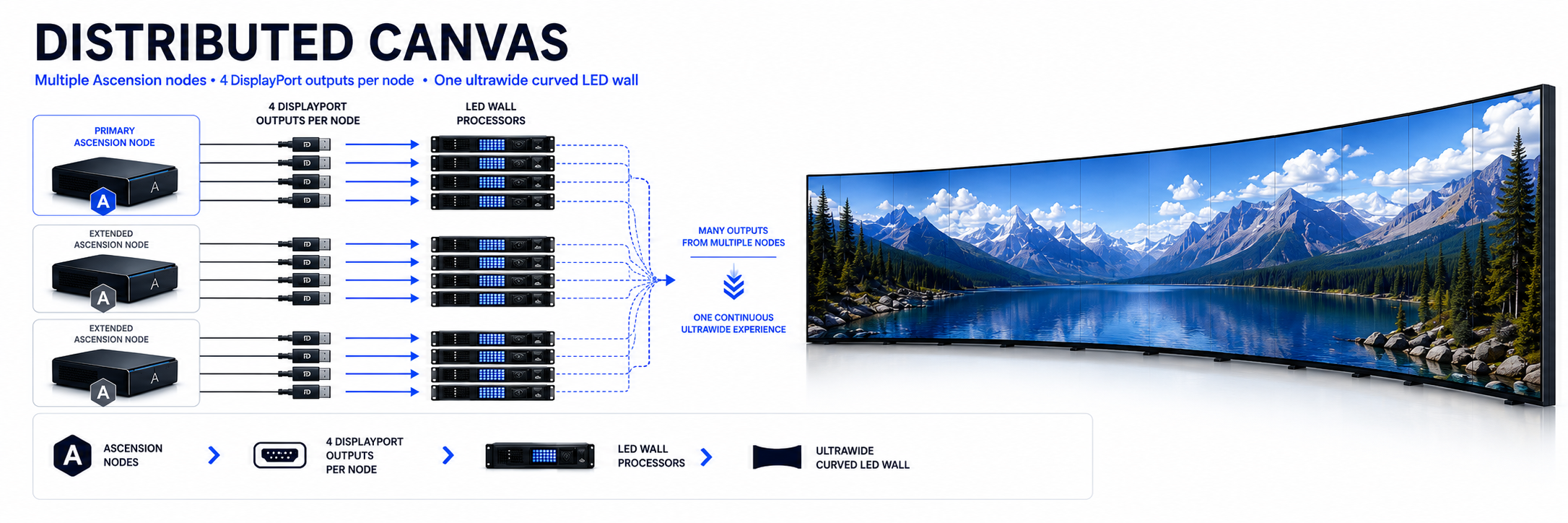
Extend a production beyond the output capacity of a single workstation while continuing to build and operate it as one coordinated visual environment. Ascension distributes the work while the operator works with the complete canvas.
ONE GLOBAL COORDINATE SYSTEM
A Distributed Canvas is defined as one continuous pixel space regardless of how many Ascension systems, graphics outputs or physical display processors are required to create it.
Define the complete presentation surface in one coordinate system instead of treating every playback computer as a separate show.
Assign each Ascension node the exact region of the global canvas that its physical outputs are responsible for rendering.
Layer position, scale, crop, rotation and animation remain relative to the full canvas rather than restarting at node boundaries.
Content can move through the global visual space and cross between playback nodes without being programmed as separate effects.
Add processing and graphics-output capacity as the physical surface grows without rebuilding the production as independent systems.
The Primary Ascension system remains the production workspace while Extended nodes perform their assigned playback and rendering roles.
PRIMARY + EXTENDED
Ascension's distributed architecture separates operator control from playback workload. The Primary system coordinates the production while Extended engines render the portions of the canvas assigned to them.
Build the CueBoard, timeline, layer states and Distributed Canvas from the Primary Ascension environment.
Extended systems operate as additional rendering engines instead of requiring another operator to maintain another copy of the show.
Transport, layer configuration, animated properties and distributed-canvas geometry are coordinated across participating engines.
Ascension's distributed clock and engine communication are designed to keep participating playback nodes tightly aligned during synchronized content and movement.
CANVAS-AWARE MEDIA
Very wide media can exceed the practical decoding workload that should be placed on every individual playback node. Ascension can prepare oversized Distributed Canvas media as node-specific derivatives based on the current canvas layout.
The full-resolution source remains the production master. Distributed Canvas preparation creates derivatives rather than destructively replacing the original asset.
Ascension creates node-specific media regions from the global canvas layout, including controlled overlap where required at canvas boundaries.
Prepared derivatives are transferred to the appropriate Extended nodes so each playback engine works with the portion of the canvas assigned to it.
When segmented playback is no longer required, the asset can be returned to normal Full Master operation without losing the original source.
PROJECTION + LED REGISTRATION
Ascension includes an engine-generated registration grid that understands global Distributed Canvas coordinates. The pattern continues through node boundaries instead of restarting at every machine or output.
Generate horizontal and vertical grid lines from the complete canvas coordinate system with configurable spacing and major intervals.
Add horizontal and vertical center lines, center targets and diagonal geometry for visual alignment across the complete surface.
Display center and corner circles for evaluating geometry, scaling and aspect behavior across large presentation surfaces.
Reveal viewport boundaries when identifying where one Ascension node's assigned canvas region meets another.
Control grid colors, line widths, background treatment and other visual parameters for the physical display environment.
Start with Grid, Geometry, Circles, Alignment or Minimal presets and then customize the registration pattern for the installation.
CENTRALIZED NODE MANAGEMENT
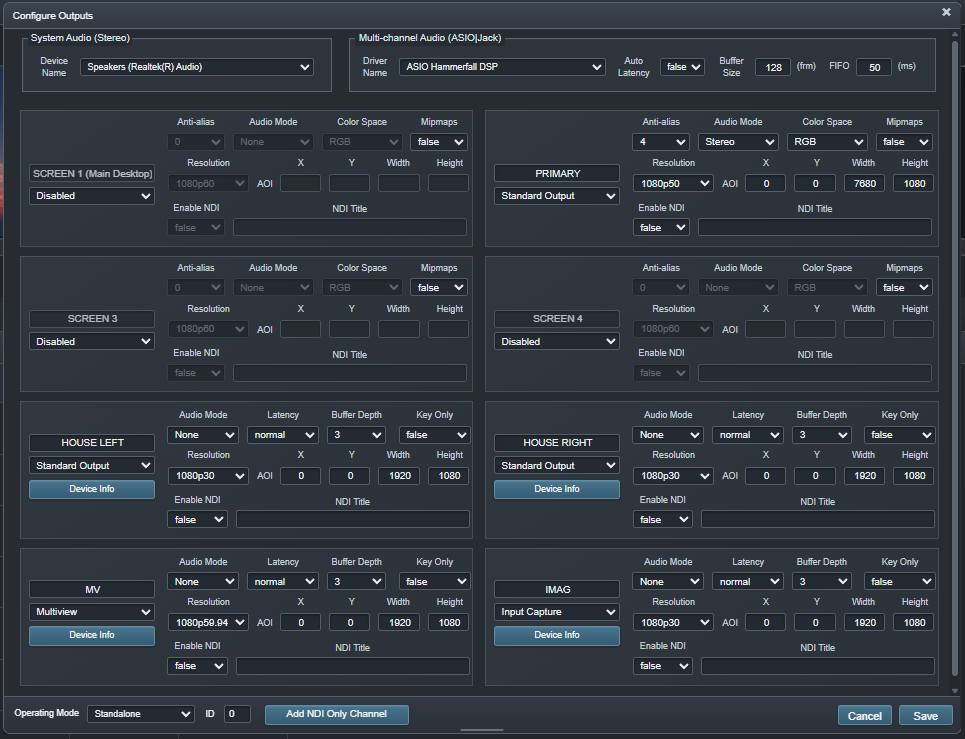
Distributed playback should increase output capacity without multiplying routine system-management work. Ascension returns essential node information and configuration to the Primary operator environment.
BUILT FOR LARGE SURFACES
Distributed Canvas is designed for presentation environments where the visual surface is larger than one conventional output system should be expected to carry alone.
Divide extremely wide LED canvases across multiple GPU outputs and playback systems while retaining one global production space.
Coordinate canvas regions across multiple projection outputs while maintaining common registration and layer geometry.
Build irregular and architectural presentation surfaces without forcing the creative workflow to mirror the physical machine layout.
Add Extended processing nodes when the surface or playback workload grows beyond the resources of the current system.
ASCENSION DISTRIBUTED CANVAS
Build the production in one coordinated canvas and let Ascension distribute the rendering workload across the systems behind it.