
Pass-through overlay
Keep Presenter View and timing on one monitor.
Feed an HDMI or SDI source through Aion and position the countdown and messages without replacing the presenter’s own content.
Operator interfaces
Aion’s browser-based architecture keeps the rack, control room, front-of-house, talent displays and tactile controls synchronized around one operational state.
Integrated touchscreen
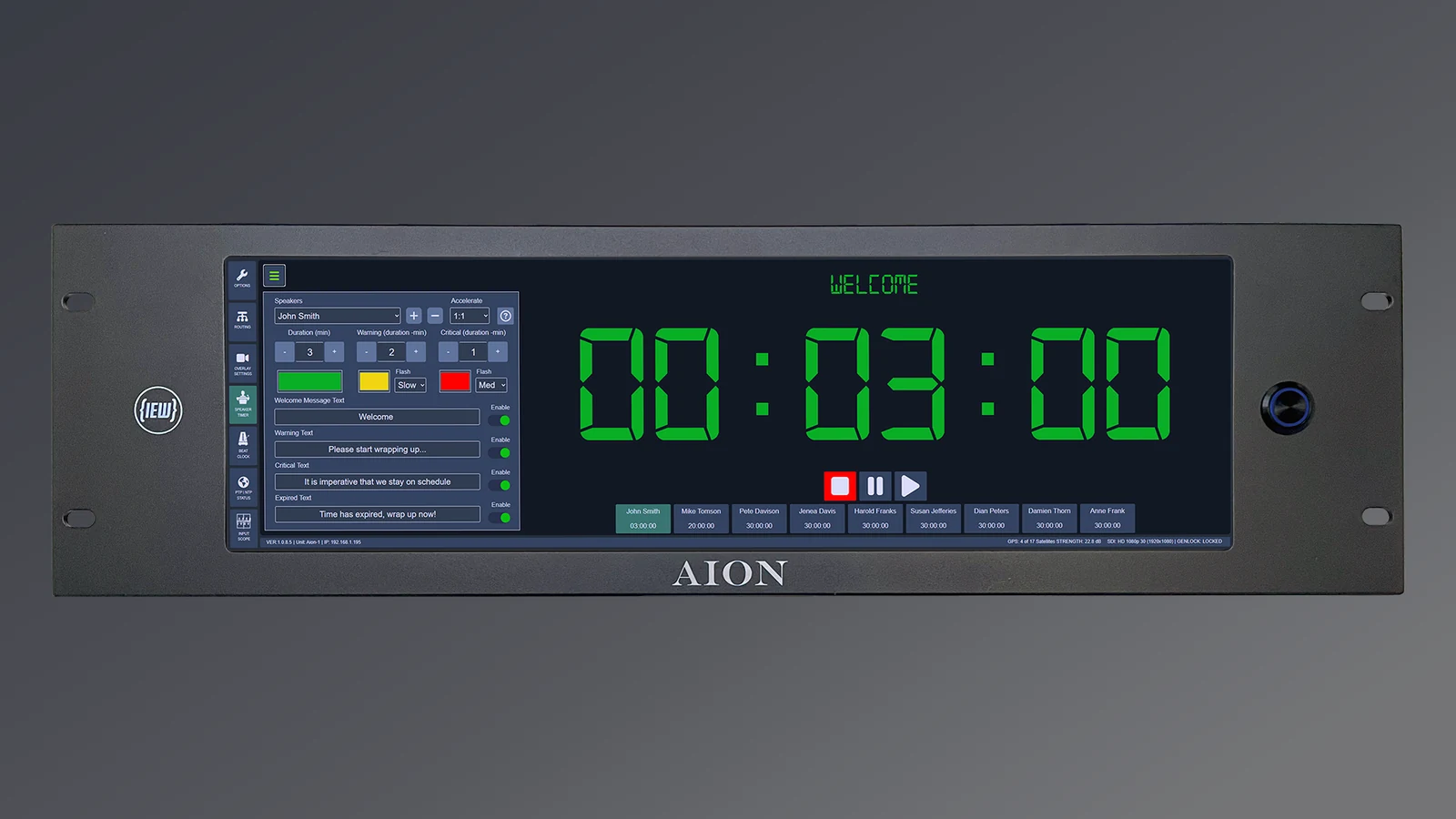
The 14-inch 2560 × 720 OLED touchscreen presents timing, routing, transport, settings, GPS status and video overlay controls directly at the rack.
Browser administration
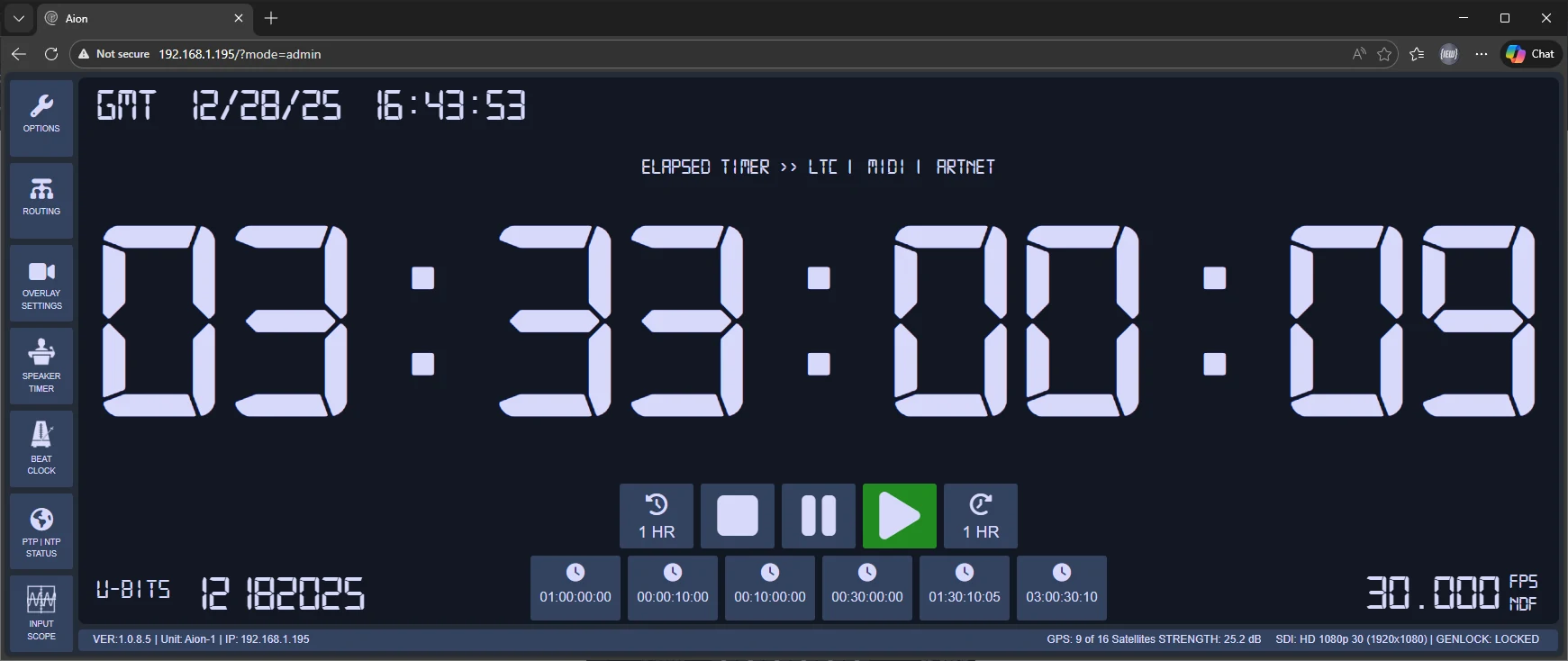
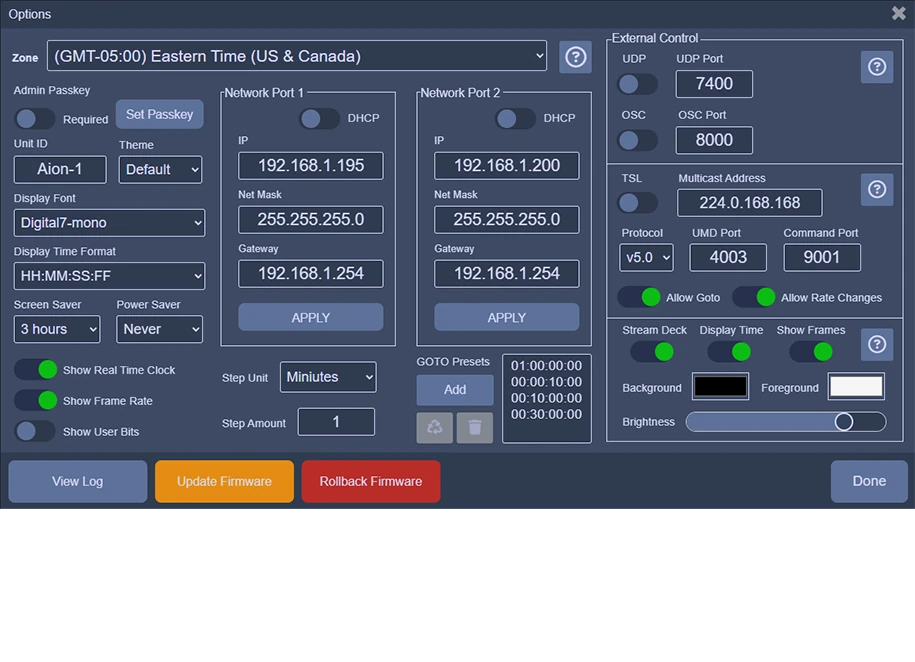
Authorized administrators can use the same interface from a workstation or tablet. Viewer mode allows timing status to be displayed without exposing configuration controls.
Video overlay control
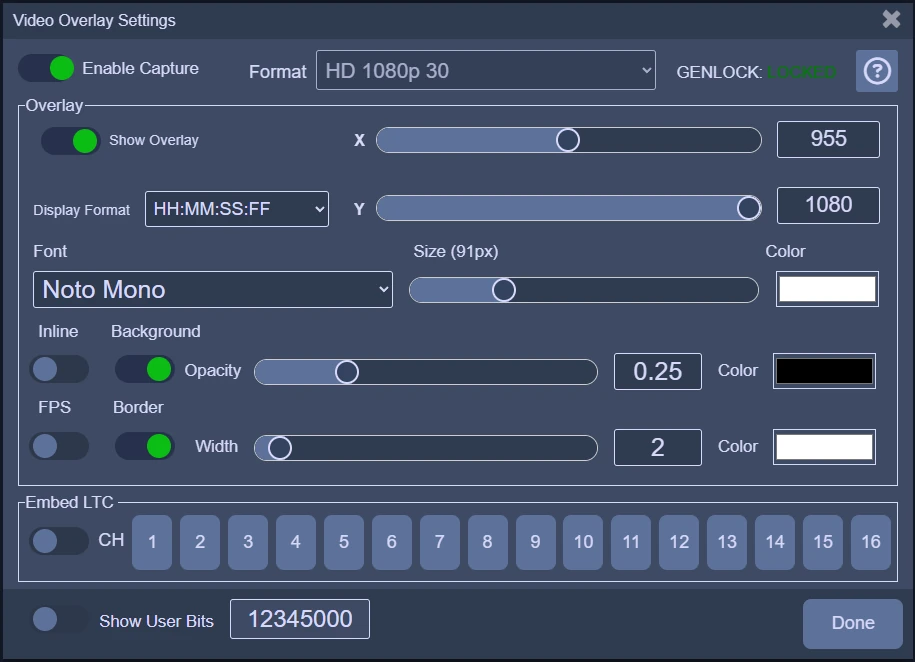
Control X/Y position, font, text color, background opacity, border styling, displayed fields and the selected LTC audio channel. The panel also reports video format and reference-lock state.

TCV display
The TCV Android application turns customer-supplied displays into dedicated viewer screens for control rooms, green rooms, confidence monitors and distributed production areas.
Speaker Timer
Each speaker profile stores duration, warning and critical thresholds, acceleration ratio and optional welcome, warning, critical and expired messages. The selected preset can be recalled from the touchscreen, a browser or Stream Deck.
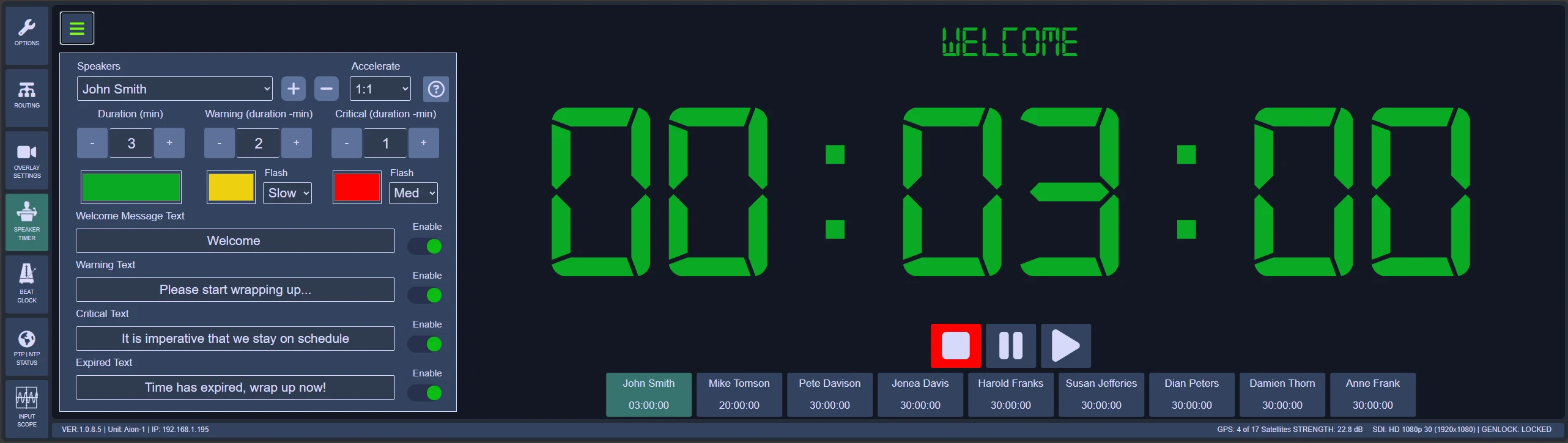
Pass-through overlay
Feed an HDMI or SDI source through Aion and position the countdown and messages without replacing the presenter’s own content.
Overlay on black
Disable the input and output timing graphics on black for downstream keying, selective routing and multi-screen productions.
Acceleration
The configurable acceleration ratio can make the displayed countdown advance faster while the underlying event timing remains controlled.
Stream Deck Bridge
The bridge application connects the operator’s Stream Deck to Aion through the network, supporting elapsed, speaker and beat-clock workflows from the actual operating position.
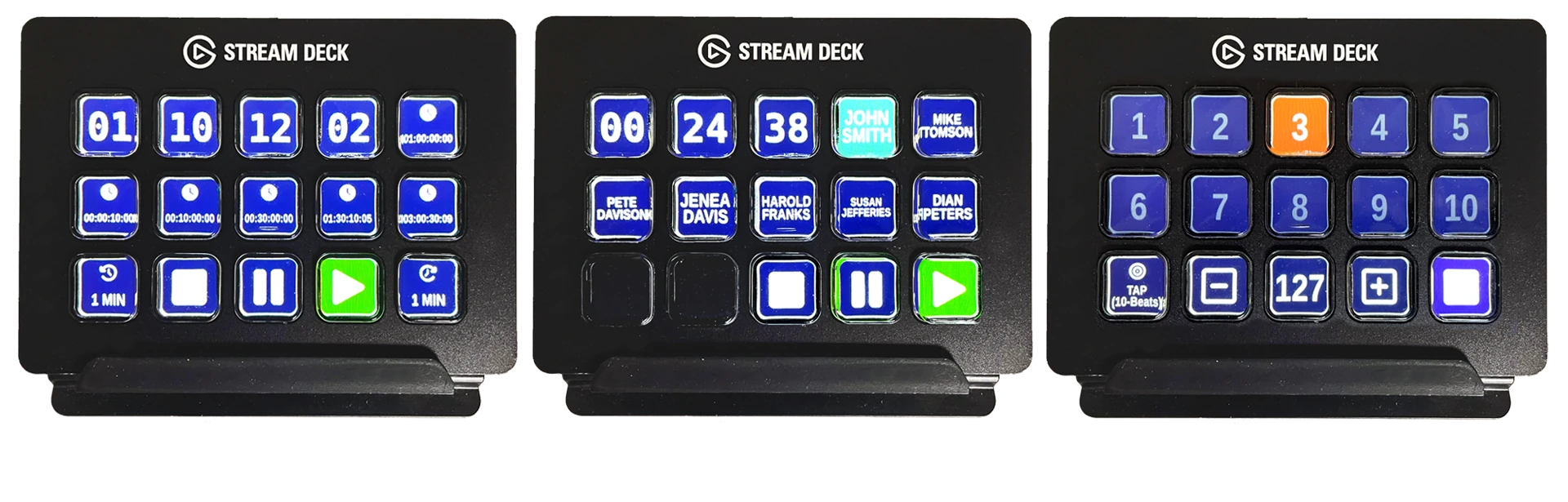
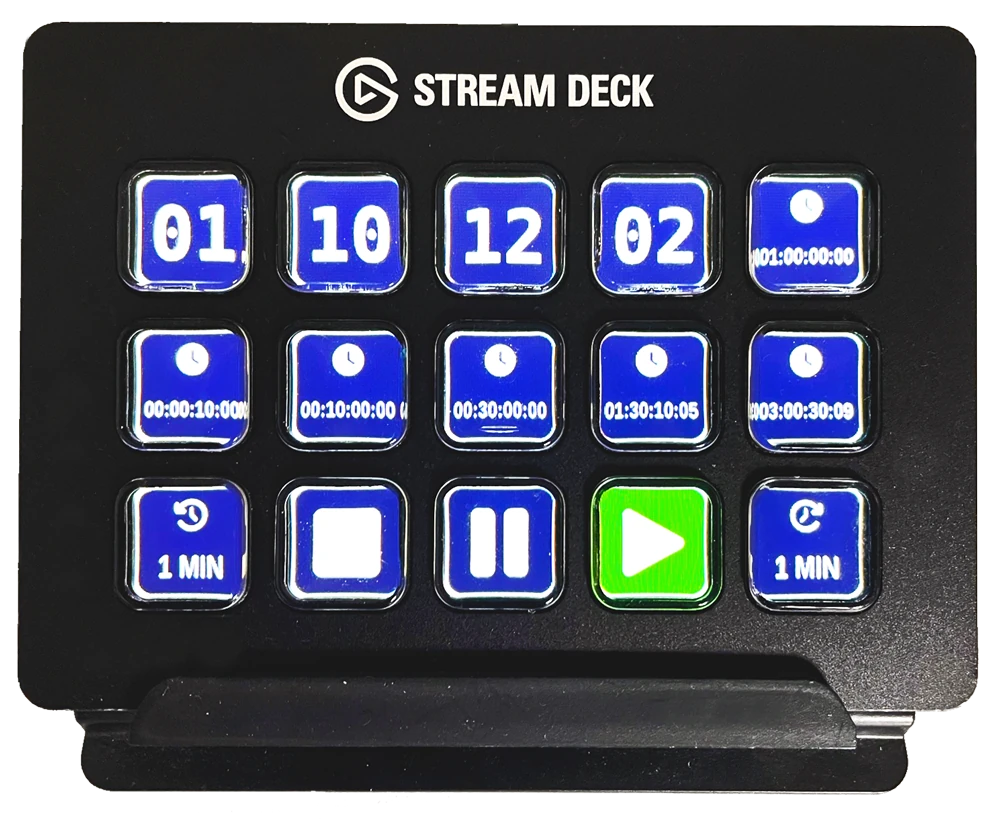
Cross-platform bridge
Run the Stream Deck Bridge on the workstation at front-of-house, in a control room or at a studio desk. The hardware does not need to be physically attached to Aion.
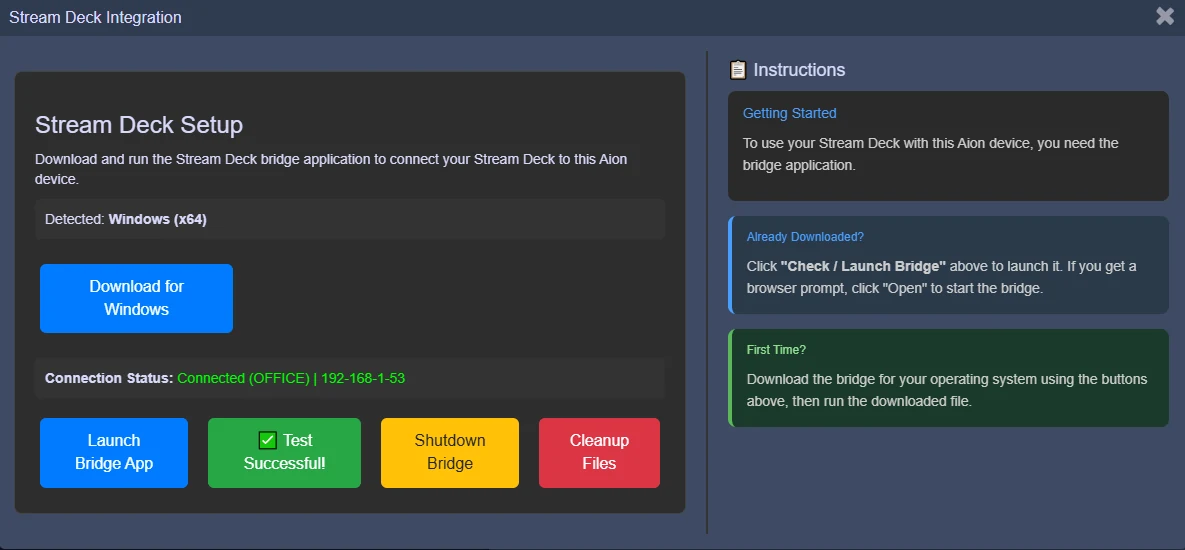
The bridge runs on the operator workstation and connects the local Stream Deck to Aion over the network.